This release introduces AI Agent Test Center, making it easier to validate AI Agent behavior before deployment through reusable test cases and batch testing. It also includes enhancements to Two-Factor Authentication (2FA) for improved visibility and enforcement, along with Live Chat enhancements that provide greater control over chat access and queue management.
AI Agent Test Center
AI Agent Test Center includes Test Cases and Test Runs.
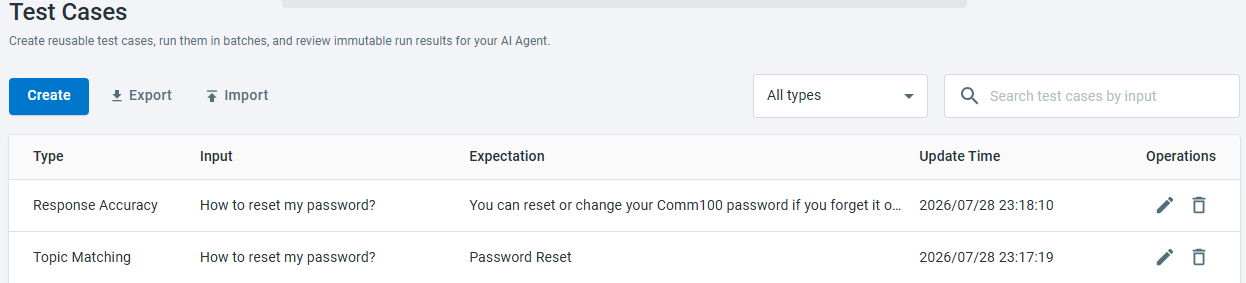
Test Cases allow you to create and manage reusable test cases for your AI Agent. Test cases can be reused across multiple test runs, making it easier to validate your AI Agent after updating Topics, Knowledge Bases, or AI configurations. You can also search, filter, import, and export test cases for easier management.
- Topic Matching – Verify whether the AI Agent matches the expected topic.
- Response Accuracy – Evaluate whether the AI Agent's response matches the expected response.
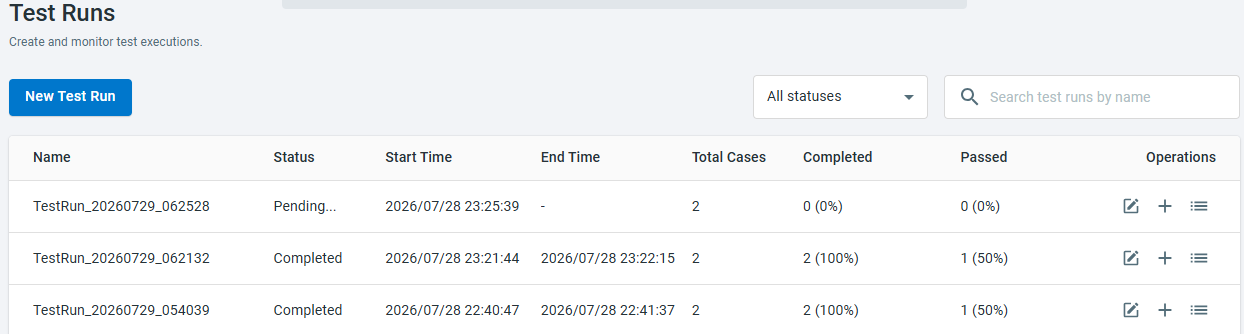
Test Runs allow you to execute one or more test cases in batches and monitor their progress. After a test run is completed, you can review the overall execution status, total test cases, completion progress, and pass rate at a glance.
For each test case, you can compare the AI Agent's actual output with the expected result. If the evaluation result is Not Pass, you can review the evaluation rationale to understand why it failed and make appropriate adjustments to improve your AI Agent. Test run results are retained, allowing you to review previous executions and compare outcomes over time.
For more information about using AI Agent Test Center, see this article.
Two-Factor Authentication (2FA)
The following enhancements help administrators better monitor and enforce 2FA adoption across the site.
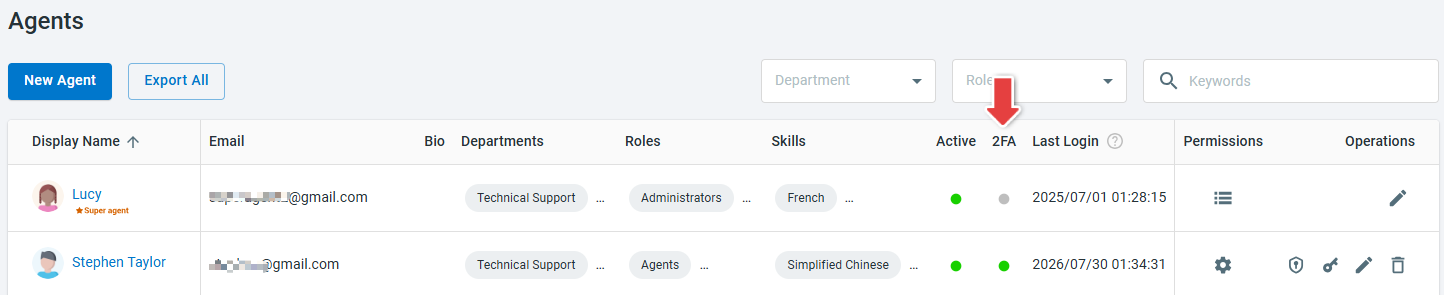
- Added a 2FA column to the Agents page to display each agent's 2FA status, Enabled or Disabled.
- Added the Is2FAEnabled field to the agent export file.
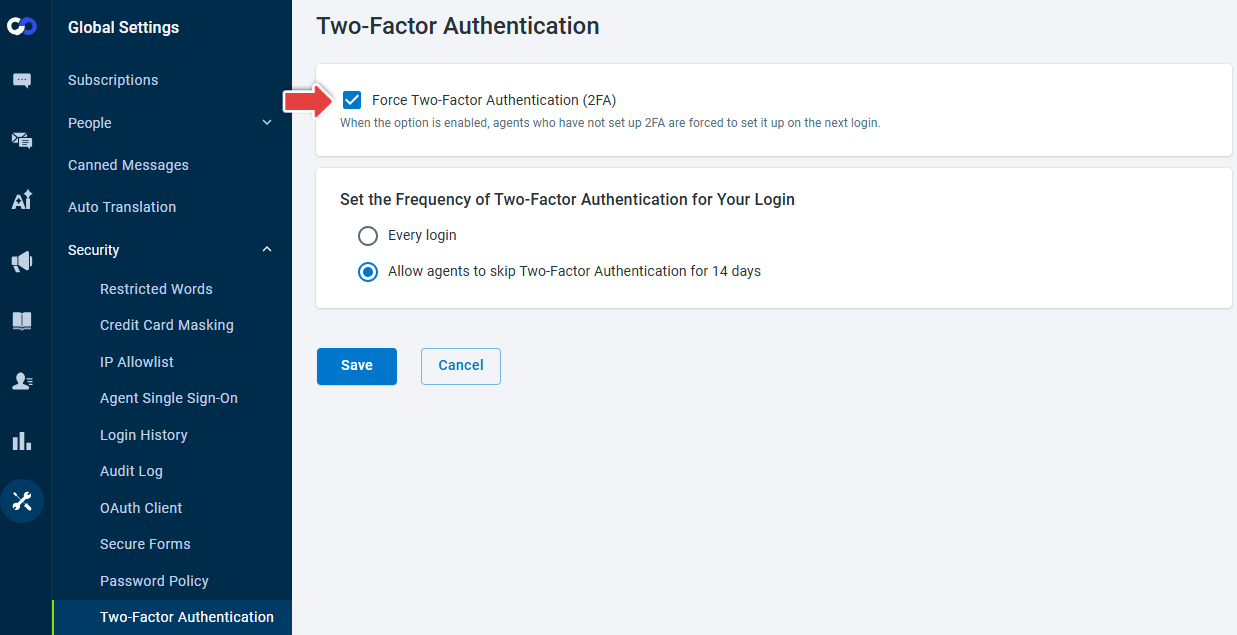
- Added the Force Two-Factor Authentication (2FA) option under Global Settings > Security > Two-Factor Authentication, allowing administrators to require agents who have not enabled 2FA to complete the setup process the next time they sign in.

For more information about Two-Factor Authentication (2FA), see this article.
Live Chat Enhancements
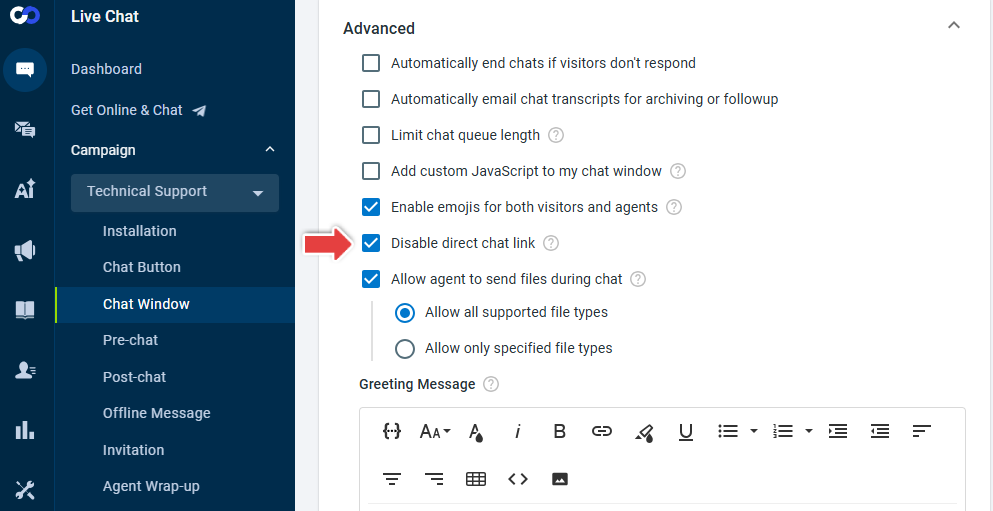
- Added the Disable direct chat link option under Live Chat > Campaign > Chat Window > Advanced to prevent visitors from starting chats through a campaign's dedicated direct chat link. When enabled, visitors who access the direct chat link will see the message, "Oops. This chat session was not established successfully."
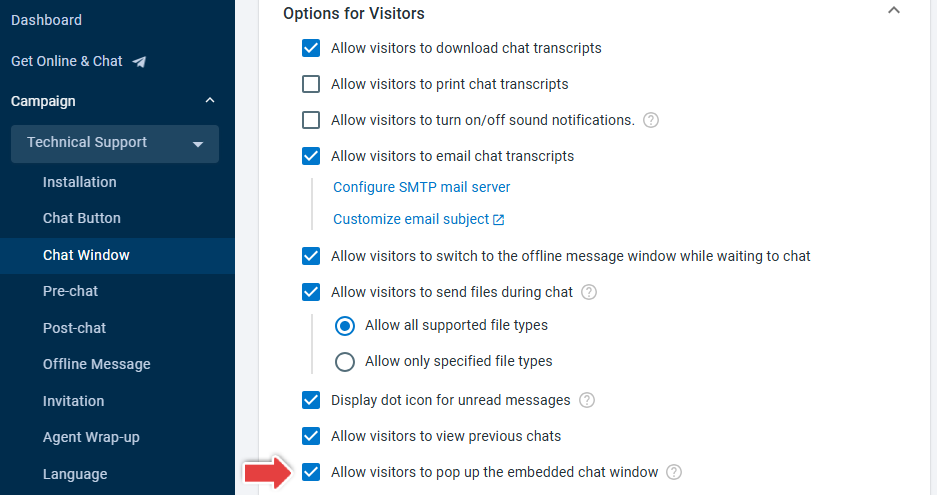
- Added the Allow visitors to pop up the embedded chat window option under Live Chat > Campaign > Chat Window > Options for Visitors to control whether visitors can open the embedded chat window in a separate browser window.
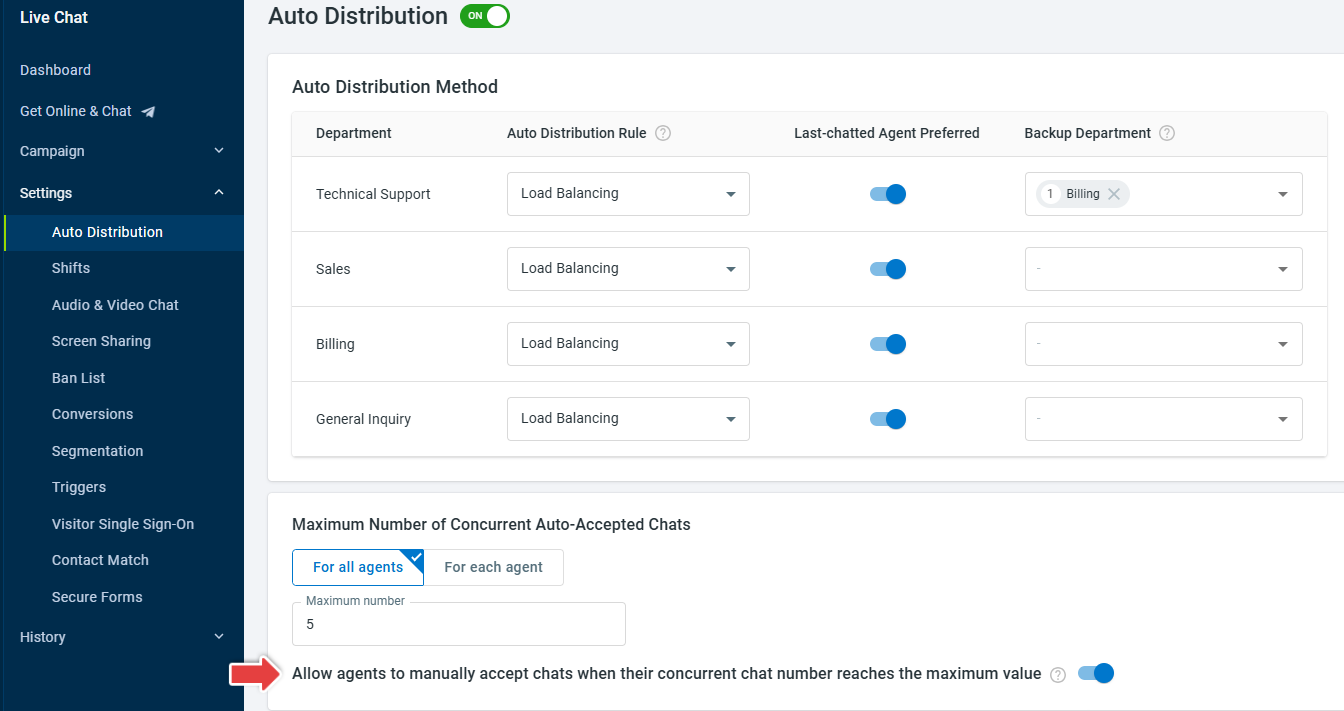
- Enhanced manual queue acceptance to allow eligible backup department agents to manually accept queued chats when Allow agents to manually accept chats when their concurrent chat number reaches the maximum value is enabled under Live Chat > Settings > Auto Distribution.