
This release enhances the Live Chat visitor experience with new Auto Invitation Shortcuts and a movable Adaptive Chat Button.
Auto Invitation Shortcuts
You can now add visitor-facing Shortcuts to both Bubble and Greeting Message Auto Invitations. Visitors can select the engagement option that best suits their needs directly from the invitation.
Available actions include Start Chat, Audio Chat, Video Chat, AI Agent Topic, Open URL, and Phone Call. You can customize each Shortcut's title and built-in icon and arrange the Shortcuts in the order you want them displayed.
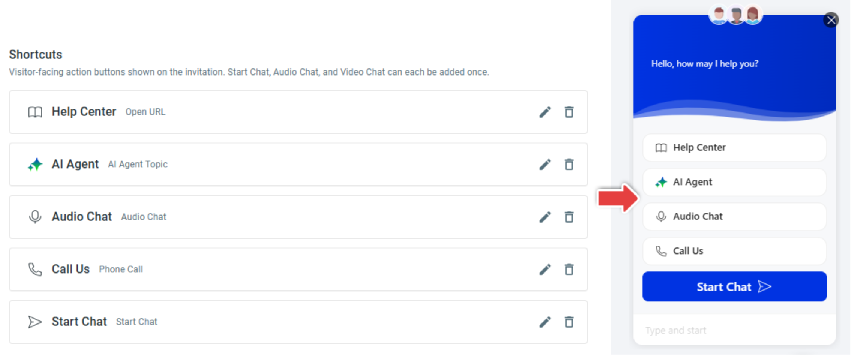
- Bubble invitations support up to five Shortcuts, while Greeting Message invitations support up to six.
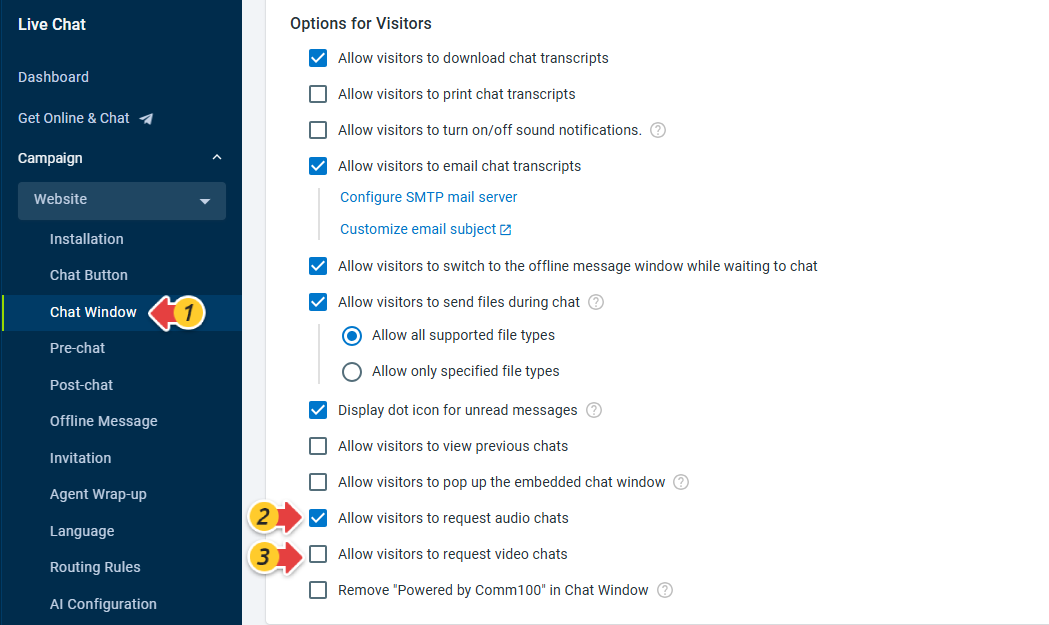
- Audio Chat and Video Chat are available when the corresponding capability and Campaign visitor-request option are enabled.
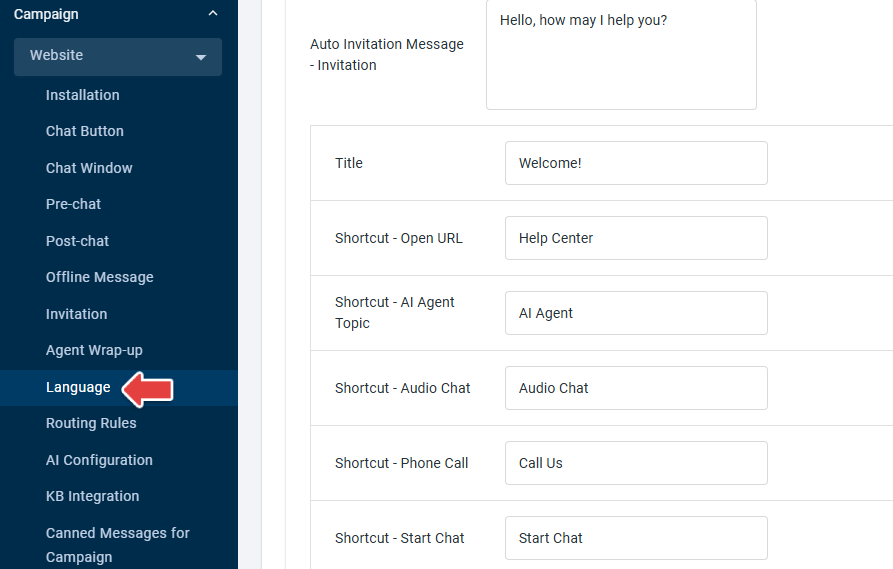
- Shortcut titles and the Title field for Bubble-style invitations can also be translated using the existing Campaign Language settings.
- Existing Auto Invitations continue to work as before if no Shortcuts are configured. Existing invitation conditions and reporting behavior remain unchanged.
To learn more about configuring Auto Invitations, see this article.
Movable Adaptive Chat Button
Visitors can now press and hold the Adaptive Chat Button and drag it to another position within the visible webpage area when it covers important content.
The movement behavior is available by default and requires no additional configuration. Moving the Chat Button does not change the position or layout of the Chat Window.