
This release introduces multi-channel support and several AI Agent Action enhancements. You can now reuse AI Agent configuration across multiple channels, collect information using AI Agent Variables, reuse Topics within Workflows, and present visitor options with an updated configuration experience.
AI Agent Multi-Channel Support
An AI Agent can now support one or more channels. Shared configuration, including the AI Agent's default language, Knowledge, Topics, Variables, Functions, and MCP Servers, can be reused across all enabled channels, while channel-specific settings remain available where needed.
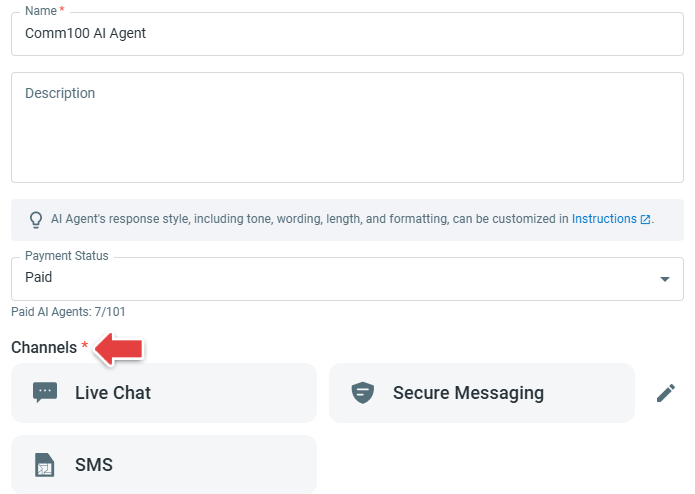
For AI Agents enabled for multiple channels, additional configuration options are available, including Instructions for All Enabled Channels, Default Responses, and channel-specific Responses. If an AI Agent continues to use only one channel, the configuration experience remains similar to the existing single-channel experience.
Existing AI Agents are upgraded automatically, with their existing configurations and historical data retained.
To learn more about the UI and configuration changes introduced by this upgrade, see this article.
Action Enhancements
This release also introduces a new AI Agent Action and updates several existing Actions, providing greater flexibility for collecting information, reusing Topics within Workflows, configuring conditions, and presenting options to visitors.
Collect Information
The new Collect Information Action allows you to collect one or more pieces of information using AI Agent Variables.
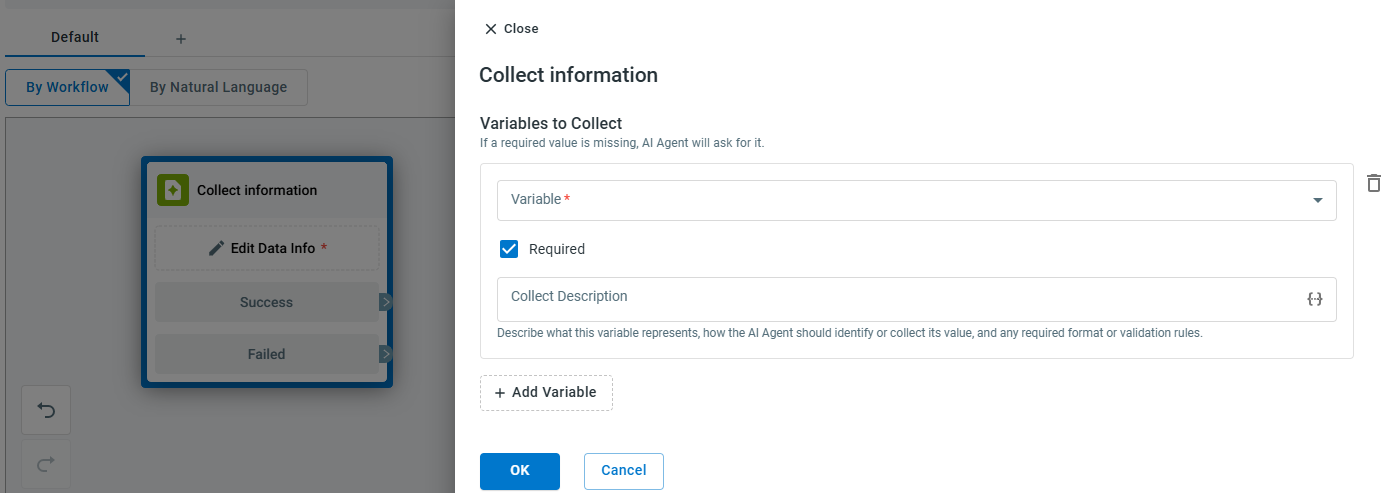
The AI Agent can use information that is already available, ask visitors only for required information that is still missing, and continue collecting additional details when needed.
You can also require visitors to confirm the collected information before new or updated values are saved.
Condition
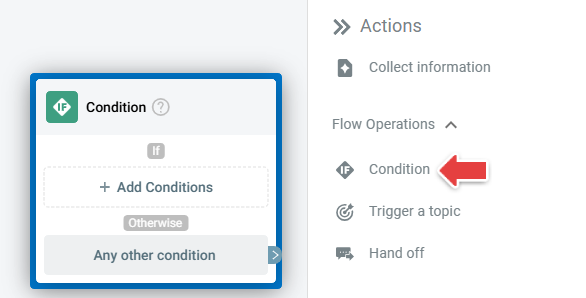
The existing Conditions Action is renamed Condition.
Trigger a Topic
The existing Go to topic Action is renamed Trigger a Topic. A triggered Topic can now return to the original Workflow after it completes, allowing the Workflow to continue from the next Action.
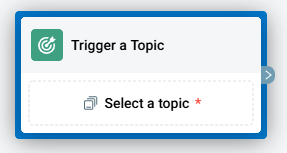
For example, a password reset Workflow can trigger a Topic to verify the visitor's email address and then continue with the reset process after verification is completed.
Send Options
The existing Send quick reply options Action is replaced with Send Options, providing an updated configuration experience for creating and managing visitor choices.
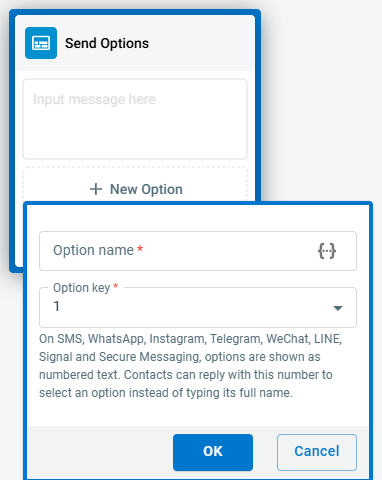
Depending on the channel, options can be presented as quick replies or numbered choices. For channels that use numbered choices, you can configure an Option key that customers can select directly.
Send Options also supports meaning-based matching, allowing the AI Agent to match a customer's natural-language response to the appropriate option when they do not make a direct selection.
Existing Send Quick Reply Options configurations are migrated to Send Options, with their existing options and routing targets retained.