This release introduces Live Chat Triggers and Real-Time Spotlight Detection, helping teams automate workflows, identify important conversations in real time, and respond proactively during live customer interactions.
Live Chat Triggers
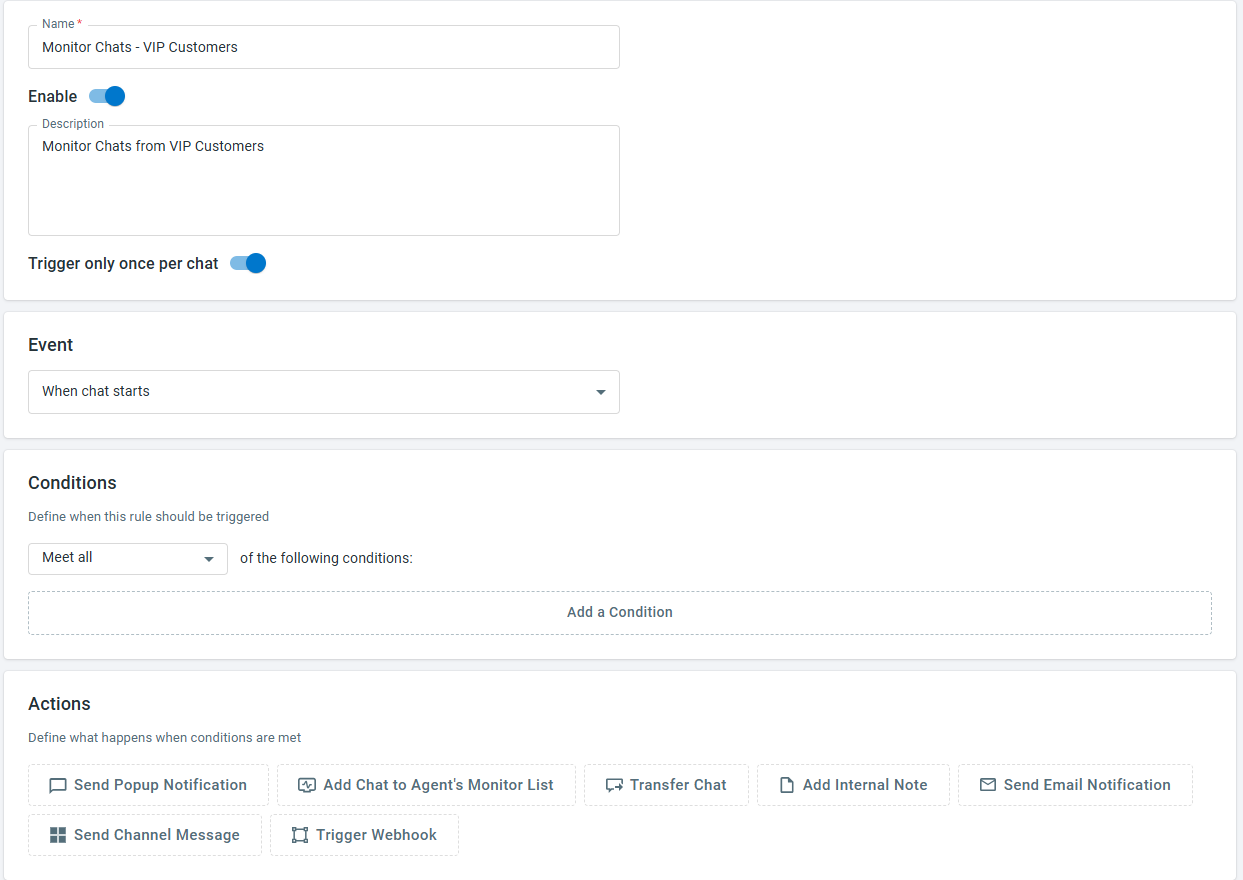
Live Chat Triggers allow you to automate actions based on predefined events and conditions throughout the chat lifecycle. You can create and manage triggers from Live Chat > Settings > Triggers, and configure them to run when events such as chat requests, visitor or agent messages, waiting time, chat duration, inactivity, chat ratings, or AI evaluations occur.
Each trigger consists of an event, conditions, and actions. Conditions can be based on visitor information, chat details, custom variables, contact fields, integration fields, or AI insights such as Spotlight, Sentiment, and Chat Resolution Status. When trigger conditions are met, Comm100 can automatically send popup notifications, add chats to an agent's monitor list, transfer chats, add internal notes, send email or channel notifications, or trigger webhooks.
To learn more about setting up Live Chat Triggers, see this article.
Real-Time Spotlight Detection
Previously, Spotlights were evaluated only after a chat ended. With this release, Spotlights can now be evaluated during active Live Chat conversations, allowing important behaviors, intents, or risks to be identified in real time.
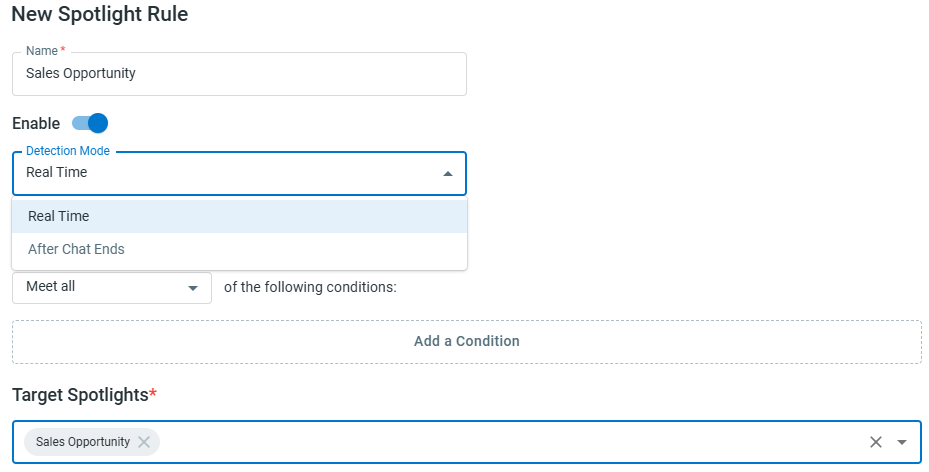
Admins can configure Spotlight Rules from Live Chat > Campaign > AI Configuration > Spotlight Rules to determine which Spotlights are evaluated during active chats or after the chat ends. When a Spotlight is detected in real time, it can be used by Live Chat Triggers to automate follow-up actions.
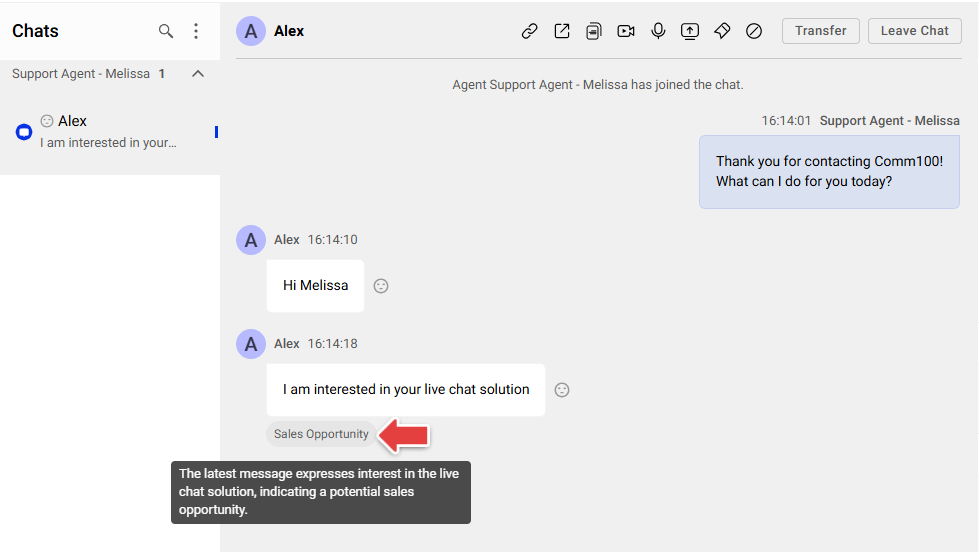
Detected Spotlights are also displayed as badges under the related chat messages in the Agent Console, giving agents immediate visibility into important conversation insights and enabling faster responses when needed.