This release introduces a collection of Agent Console enhancements designed to improve visibility, navigation, and collaboration in Live Chat. These updates help agents and supervisors monitor conversations more effectively, access information more quickly, and streamline daily workflows.
Last Message Preview
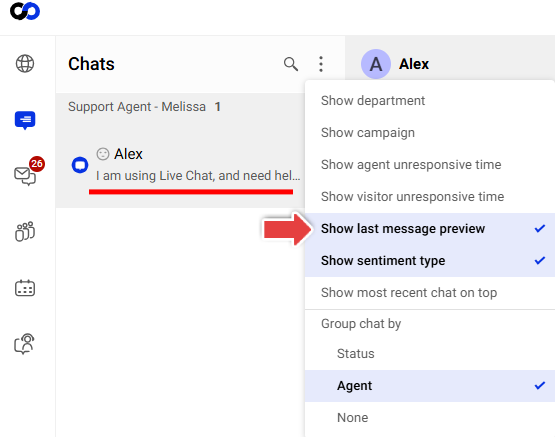
You can now choose to display the latest message directly in the chat list, providing additional conversation context without opening the chat.
Visitor Unresponsive Time
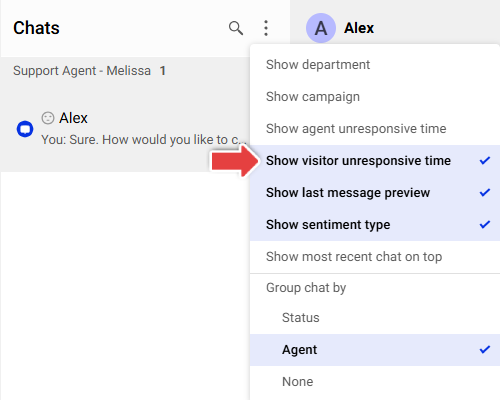
Agent Console now displays how long a visitor has not replied after an agent or AI response, helping agents identify stalled conversations and monitor engagement more effectively.
Group Chats by Agent
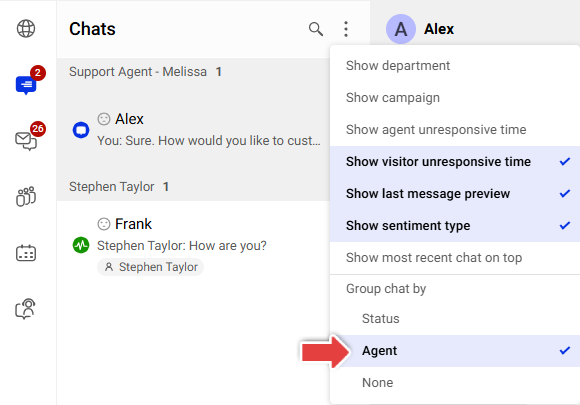
Supervisors can now group chats by joined agent, making it easier to review workloads and locate conversations.
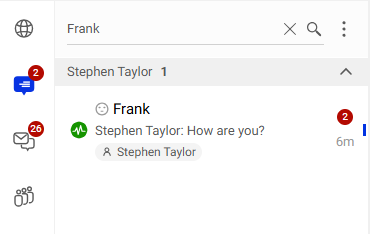
Chat List Search
The chat search feature now supports searching by both visitor name and joined agent name, helping agents find conversations more efficiently.
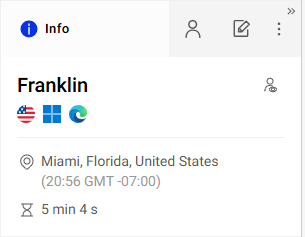
Visitor Local Time and Chat Duration
The Info tab now displays additional visitor details, including local time and the total duration of the chat. This provides valuable context when communicating with visitors across different regions. The chat duration continues to update until the conversation ends.
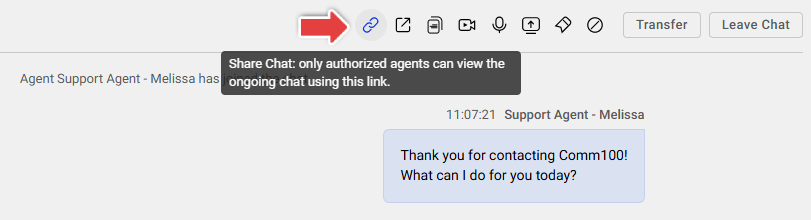
Share Chat
Agents can now copy and share a direct link to a chat with other agents, making it easier to collaborate on conversations and reference specific chats. When another agent opens the shared link, they are directed to the Web Agent Console and can begin monitoring the chat.

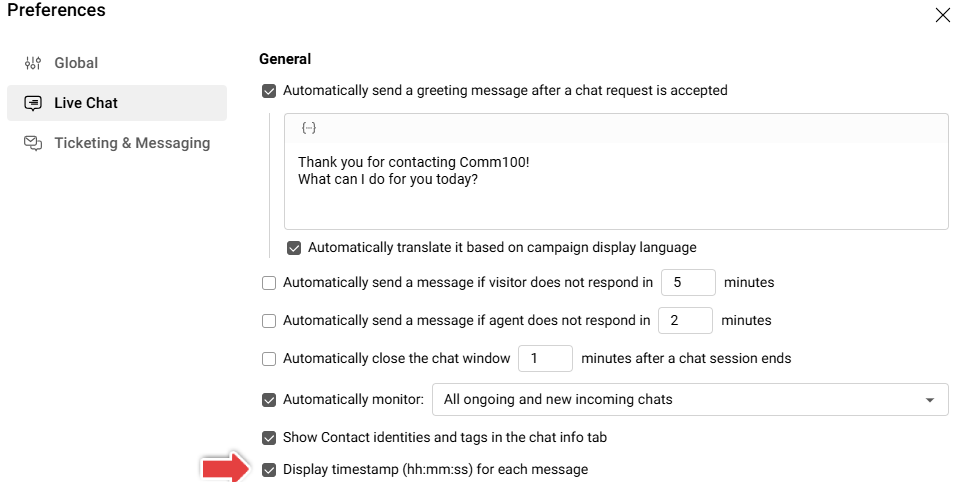
Timestamp for Each Message
Agents can now choose to display message timestamps with seconds (hh:mm:ss) for more precise conversation tracking.
Expanded Live Chat Shortcuts Reference
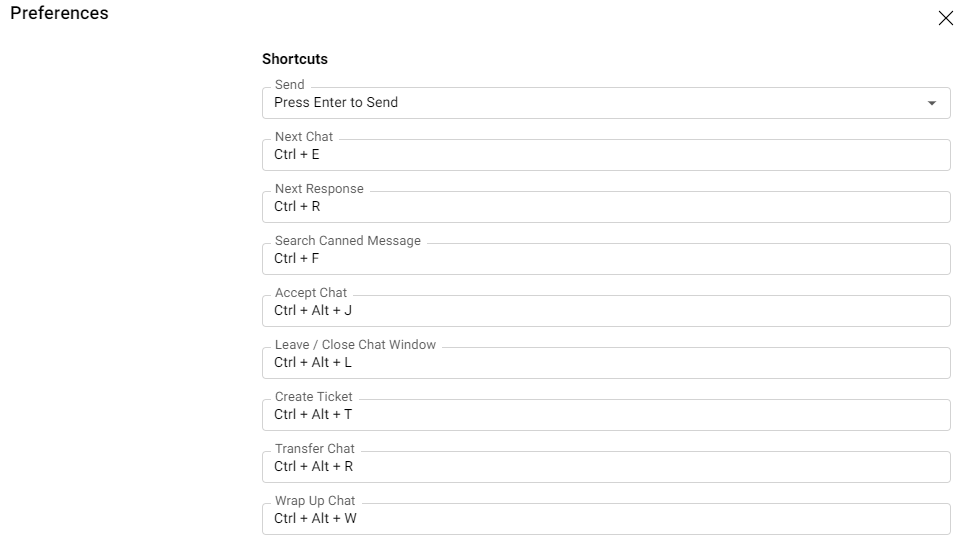
The Live Chat Shortcuts reference has been expanded to include a much broader set of keyboard shortcuts for common Live Chat actions. In addition to existing shortcuts for sending messages, switching chats, moving to the next response, and searching canned messages, agents can now view, configure, and use keyboard shortcuts for many more actions throughout the Agent Console, helping improve efficiency and navigation.
To learn more about configuring the Agent Console, see this article.