This release introduces new features and usability improvements for Secure Form and AI & Automation, designed to improve agent efficiency, expand secure data collection capabilities, and enhance AI knowledge management and reporting visibility.
Secure Form
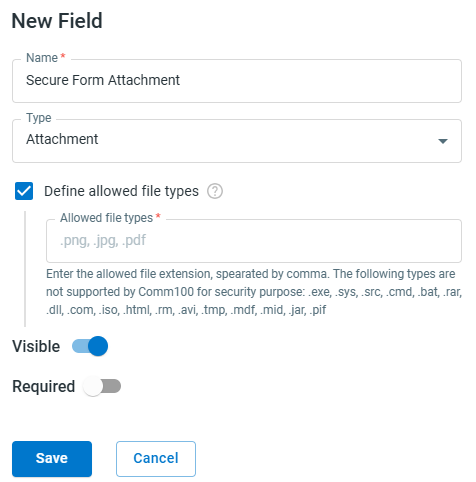
Secure Form now supports file attachments, expanding its capability for enterprise-grade secure data collection. Customers can now upload sensitive documents, such as credit card images, ID scans, signed forms, or medical records, directly within live chat sessions or ticket management workflows. You can also configure allowed file types for each Attachment field to ensure only approved formats are accepted, while blocking high-risk or unsupported file types.
Category Sync for Knowledge Base Articles
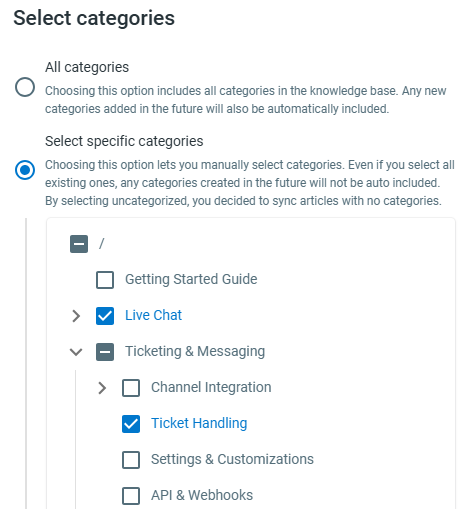
When adding Knowledge Base articles as knowledge sources, you can now select specific categories to sync instead of importing the entire knowledge base. By syncing only relevant categories, AI Agents can reduce knowledge clutter, improve answer accuracy and shorten knowledge processing time.
To learn how to add Knowledge for an AI Agent, see this article.
To learn how to add Knowledge for an AI Copilot, see this article.
AI Quality Assurance Reporting
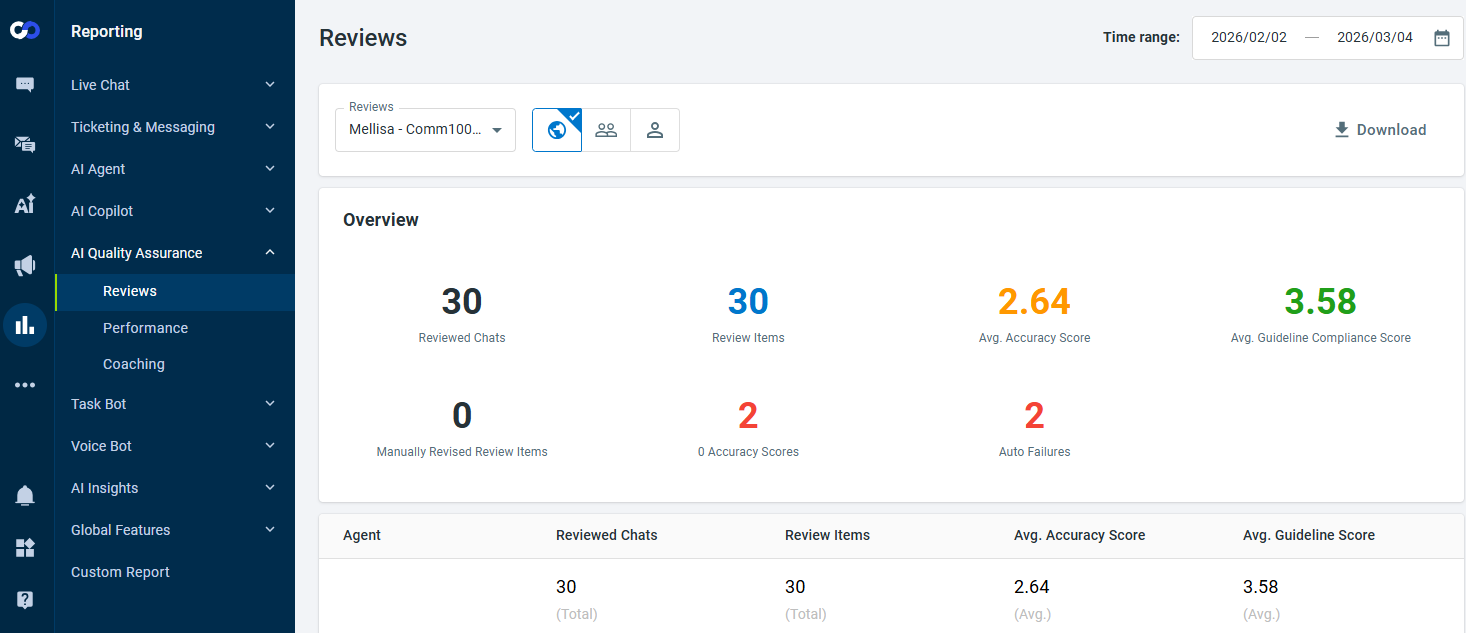
AI Quality Assurance now includes a comprehensive reporting suite that enables you to evaluate agent and department performance more effectively.
The reporting module includes three reports:
- Reviews – Provides detailed insights into review results and scoring distribution.
- Performance – Tracks QA performance trends over time.
- Coaching – Measures coaching opportunities and completion effectiveness.
To learn more about the reporting metrics and how to use these reports, see this article.