This release introduces Chat Tags and Temporary Ban, making it easier to organize chats and manage visitor and IP bans. It also enhances Canned Messages with bulk management and automatic tag assignment, improving the efficiency and consistency of chat and ticket handling.
Chat Tags
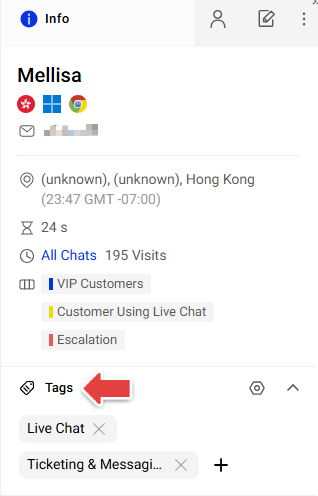
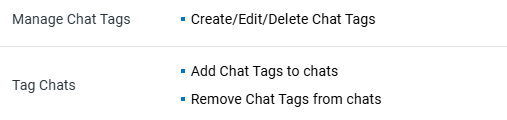
Chat Tags allow you to categorize chats with customizable tags to organize conversations and analyze chat activity. With the appropriate permissions, you can add or remove tags from the Info tab while handling chats.
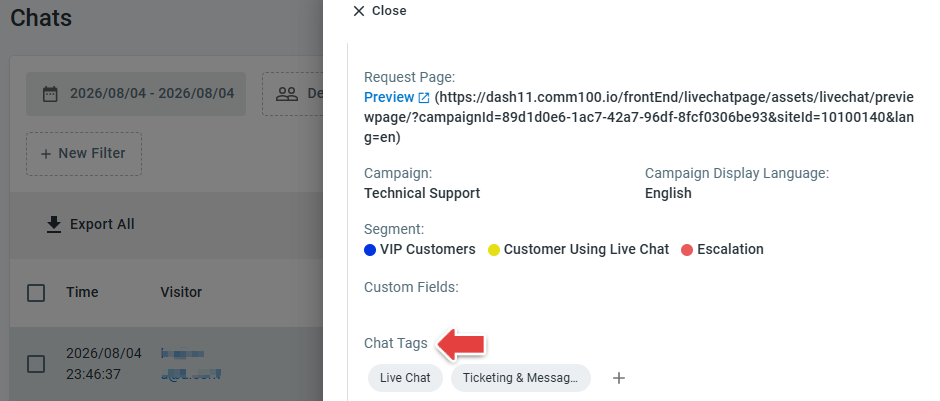
Tags can also be viewed and managed from Transcript Detail page for easier chat record management.
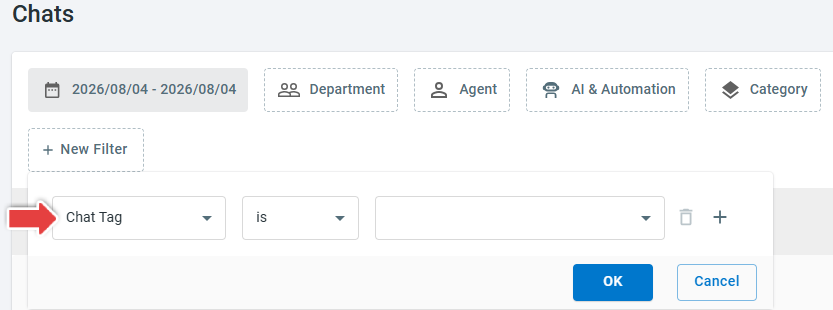
They are fully integrated with reporting and analytics. You can filter the Chat History and Chat Volume reports by tag, and use tags as a grouping field in Custom Reports.
- Chat Tags are available on the Live Chat Ultra and Omnichannel Ultra plans. To learn more about Comm100 product packages, visit here.
- Manage Chat Tags and Tag Chats are separate agent permissions. To learn more about managing agent permissions, see this article.
Temporary Ban
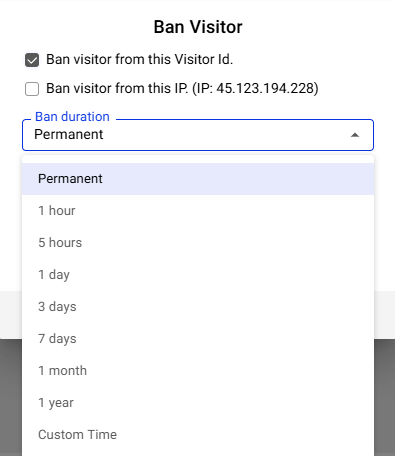
Live Chat now supports both temporary and permanent bans for visitor IDs and IP addresses. When creating or editing a ban, you can choose from predefined durations, including 1 hour, 5 hours, 1 day, 3 days, 7 days, 1 month, and 1 year, or specify a custom expiration time. Temporary bans are automatically removed when the configured expiration time is reached, while permanent bans remain in effect unless they are manually removed.
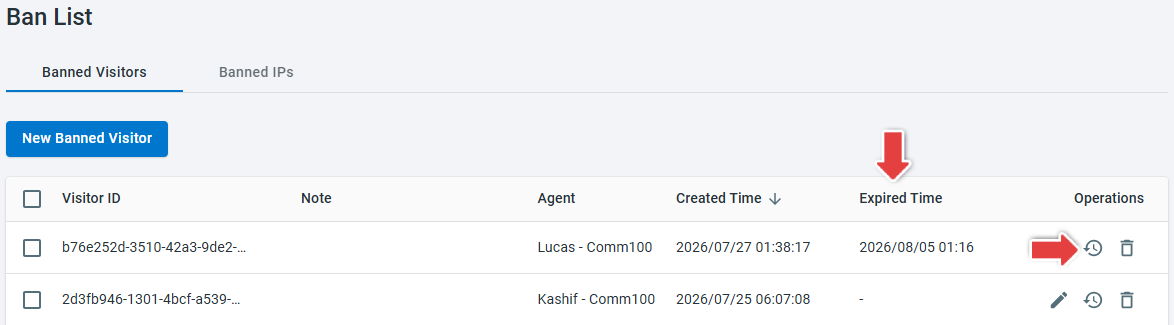
The Ban List now displays the expiration time for each ban, allowing you to quickly distinguish between active and expired bans. You can also click the History icon in the Operations column to view the related chat history for banned visitors and IP addresses.
To learn how to ban or unban visitors, see this article.
Bulk Canned Message Management
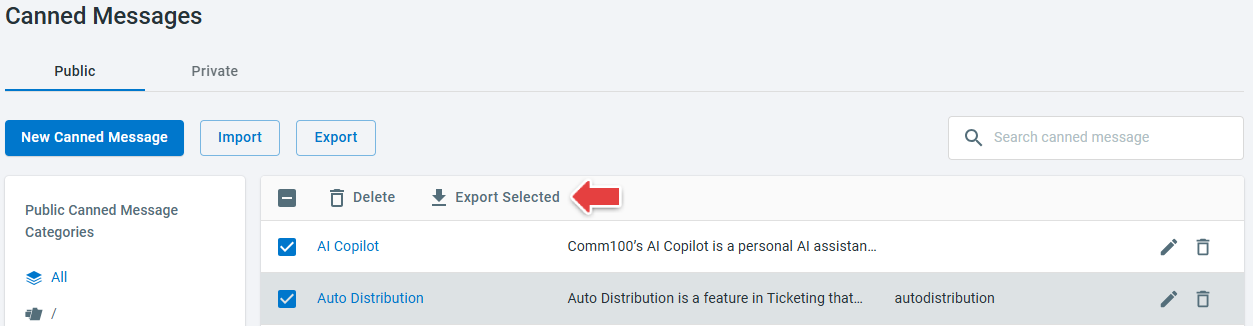
Public and private canned messages now support bulk management. You can select multiple canned messages and perform Delete or Export Selected actions in a single operation to streamline backup and maintenance.
Auto Apply Tags for Canned Messages
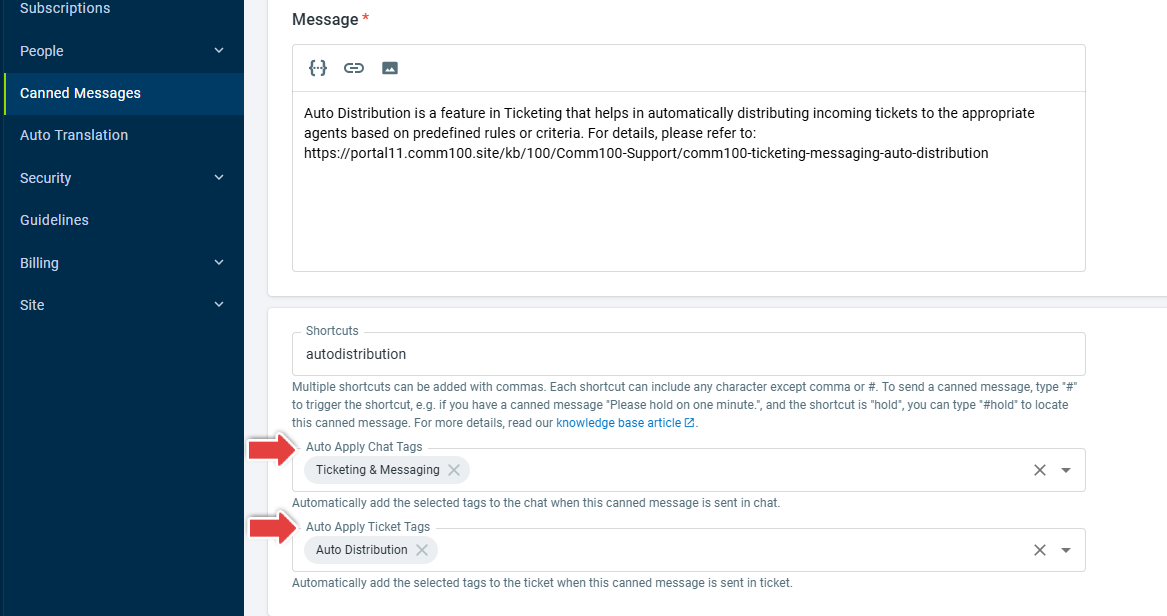
When a public or private canned message is configured with Chat Tags or Ticket Tags, the selected tags are automatically applied when the canned message is sent.