This release introduces enhancements to AI & Automation, Live Chat, and Ticketing & Messaging, designed to expand automation capabilities, provide greater flexibility in building intelligent workflows, and improve control over chat interactions and ticket management. With the addition of LLM Functions, enhanced Natural Language Instructions, improved file sharing settings, and ticket download capabilities, you can handle more complex tasks while maintaining better security, visibility, and operational efficiency.
LLM Function
LLM Function is a new type of AI Agent Function that uses large language models to handle complex tasks and unstructured data. With LLM Function, you can create prompt-based logic for tasks such as data extraction, summarization, parsing, formatting, and structured output generation without relying on external APIs.
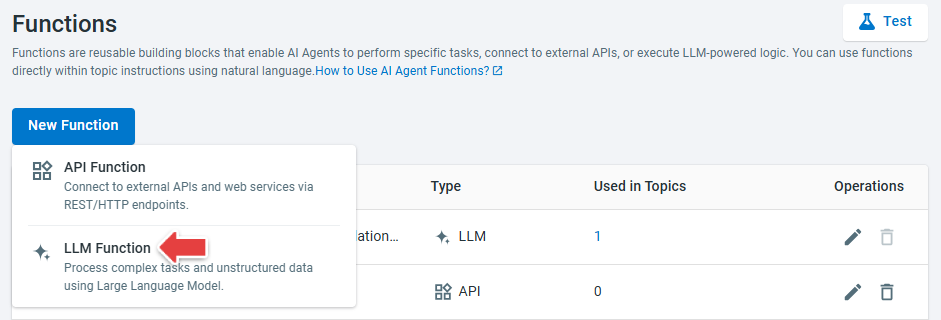
To learn more about AI Agent Functions, see this article.
Natural Language Instructions Support Actions and Functions
Natural Language Instructions for Topics now support Actions and Functions, enabling more powerful and dynamic workflows. You can now trigger actions such as sending messages, collecting information via forms, going to specified topics, or transferring chats, as well as call custom functions (for example, checking order status or retrieving external data) directly within instructions.
In addition, you can add multiple instruction blocks within a single topic, making it easier to organize complex logic, improve maintainability, and create more flexible, context-aware AI Agent responses.
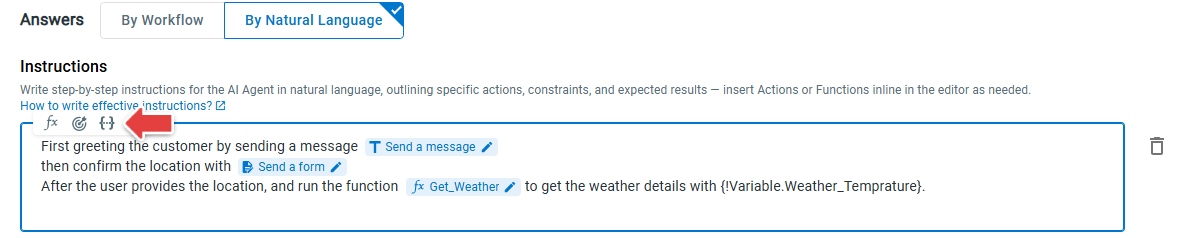
To learn more about how to write Topic Instructions, see this article.
Enhanced File Sharing Controls in Live Chat
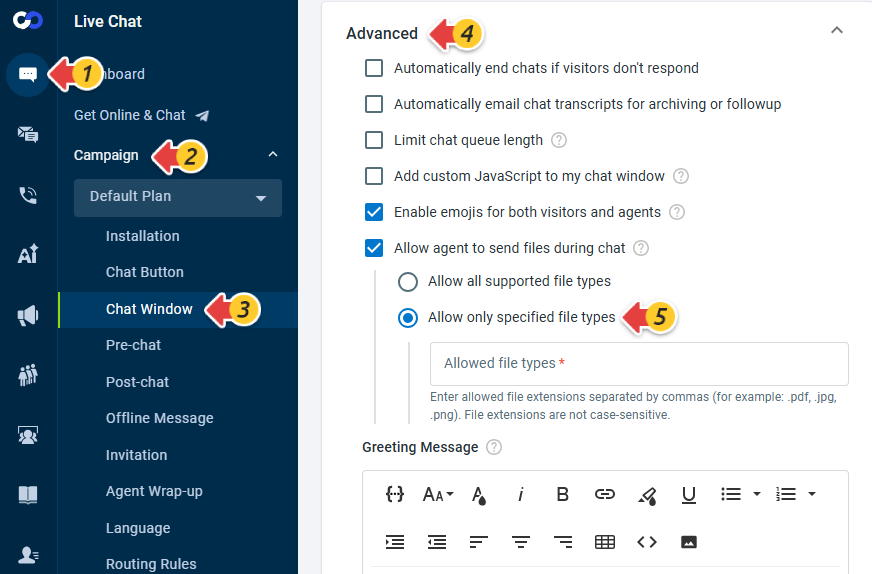
Live Chat now provides more flexible file sharing controls for both agents and visitors. You can choose between allowing all supported file types or restricting uploads to only specified file types, giving you better control over the types of files shared during chat conversations.
Visitor-side settings:
Agent-side settings:
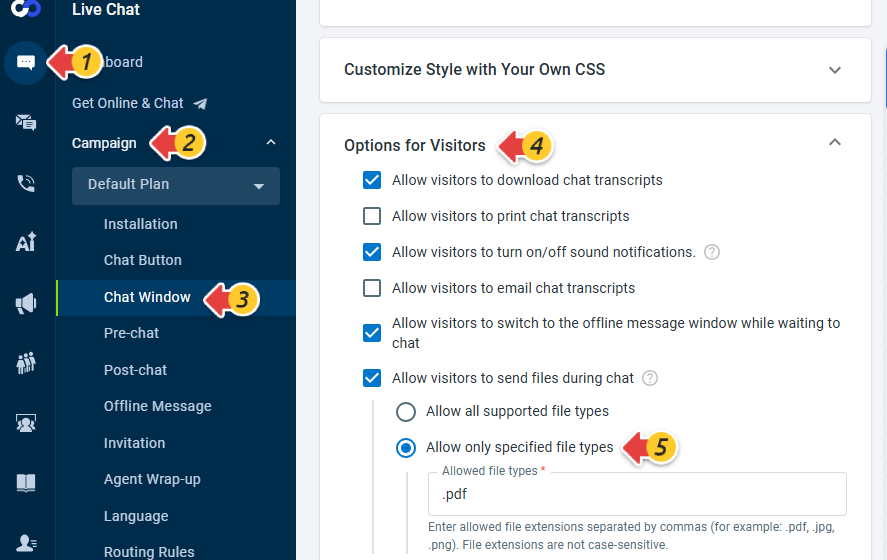
.exe, .sys, .src, .cmd, .bat, .rar, .dll, .com, .iso, .html, .rm, .avi, .tmp, .mdf, .mid, .jar, .pif.
Ticket Download
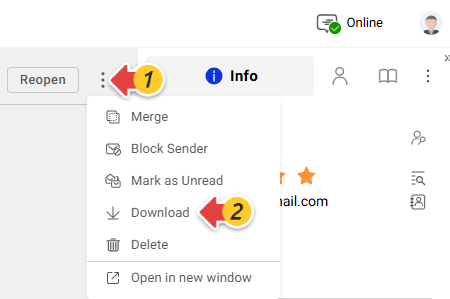
Ticketing & Messaging now supports ticket download, providing a new way to export ticket conversations for sharing, record-keeping, and offline review. Tickets can be downloaded as PDF or ZIP files, with options to include attachments and internal comments.