
If you are a Site Administrator or have permission to manage agents, you can delete an existing agent from your Comm100 account. Deleting agents is typically done when an agent leaves your organization or no longer needs access to your Comm100 account.
Step-by-Step Instructions
- Log in to your Comm100 Control Panel.
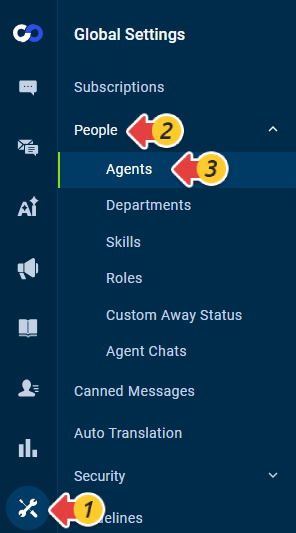
- From the left navigation menu, go to Global Settings > People > Agents.
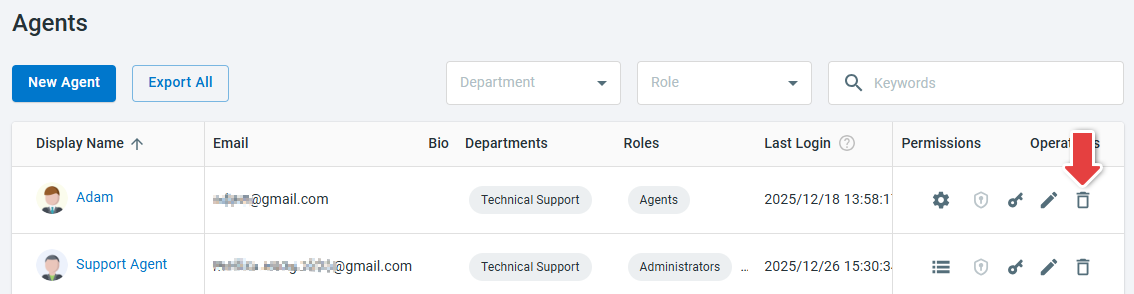
- In the agents list, locate the agent you want to delete and click the Delete icon under the Operations column.
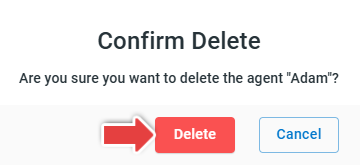
- Click Delete on the Confirm Delete pop-up window to complete the action.
Note: Deleting an agent may impact historical data and reports, as the agent will no longer appear as an active user. We recommend backing up any relevant data before deleting an agent. For best practices on removing agents, see this article.