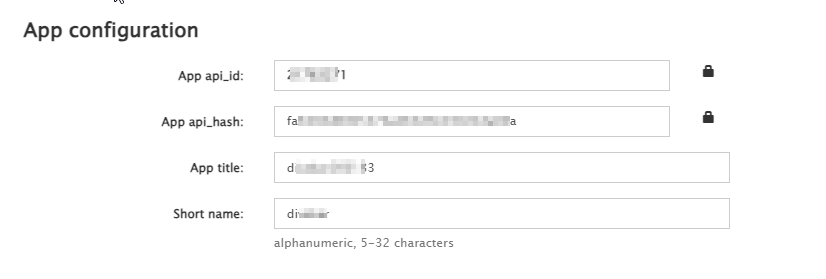
Comm100 supports Telegram integration, allowing you to communicate with customers through Telegram. When connecting your Telegram account directly to Comm100, you need to create a Telegram application and provide its App API ID and App API Hash for authentication.
Note: The App API ID and API Hash are required only when you connect a Telegram account directly. If you connect through a Telegram Bot, you need a Bot Token instead. To learn more about integrating Telegram account with Comm100,
see this article.
To obtain the App API ID and API Hash, follow these steps:
- Go to my.telegram.org and sign in using the phone number associated with your Telegram account.
- Click API Development Tools.
- If you have not created a Telegram application for this account, complete the application form and create the application.
Note: Telegram currently allows only one API ID to be associated with each phone number. If an application has already been created, the existing application information appears on the page.
- Locate and copy the App api_id and App api_hash. You need these credentials when connecting your Telegram account directly from the Comm100 Control Panel.