This release introduces several enhancements to Booking, providing greater flexibility when managing service availability, improving appointment details, enabling internal collaboration, and expanding appointment notifications. The update includes configurable appointment start time increments, date-specific availability schedules, richer calendar event details, internal appointment notes, and SMS notifications through Twilio.
Start Time Increments
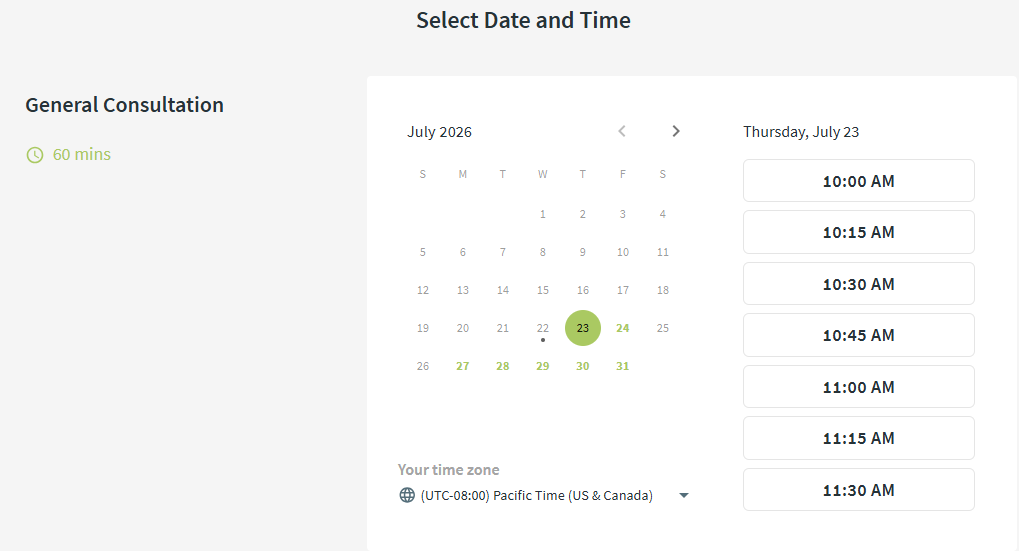
Start Time Increments determine how frequently appointment start time options are offered. You can now configure them for each service, giving you more flexibility when offering appointment times.

The appointment duration continues to determine how much continuous time must be available. For example, a 60-minute appointment can offer start times every 15 minutes, provided the full 60-minute time slot is available.
General Availability and Date Overrides
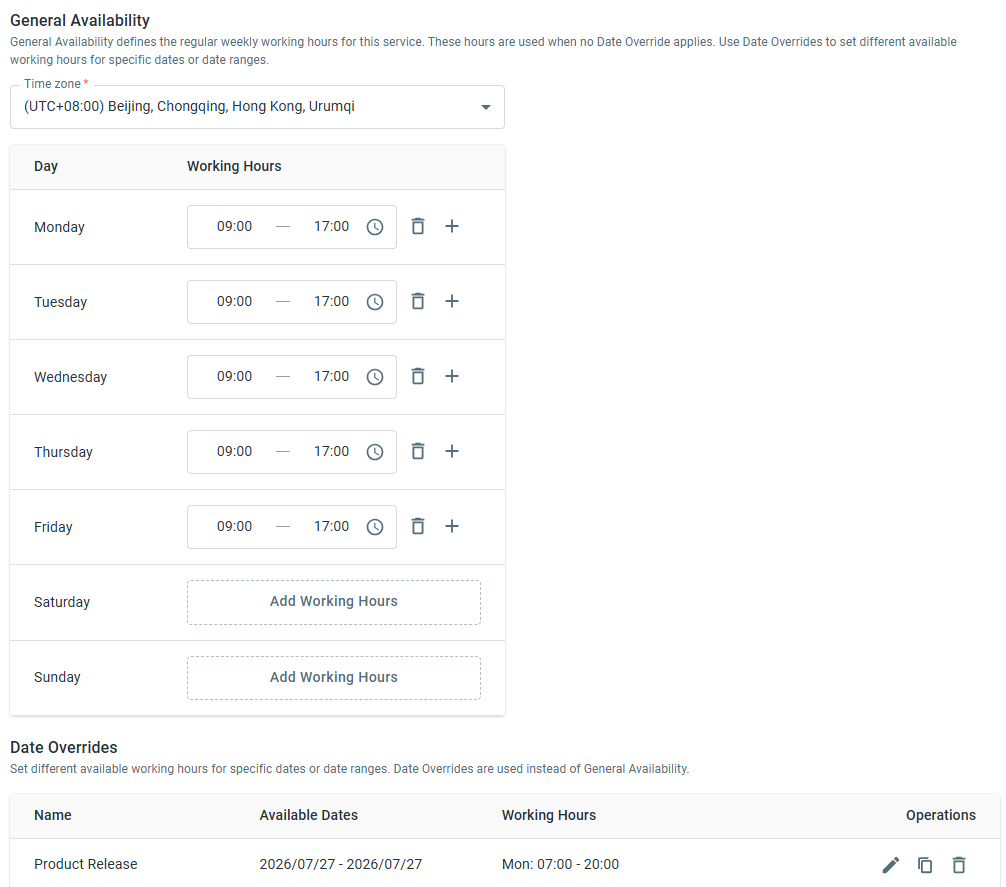
You can now manage service availability using General Availability and Date Overrides.
- General Availability defines the regular weekly working hours for a service.
- Date Overrides allow you to configure different working hours for specific dates or date ranges without modifying the regular schedule.
Date Overrides take precedence over General Availability during their effective dates, making it easier to manage holidays, seasonal schedules, and temporary availability changes.
Richer Calendar Event Details
Booking calendar events now include additional appointment information to help both agents and visitors prepare for meetings. Calendar events can now include the service description, agent meeting information, and submitted pre-booking form details. These details are included in calendar invitations, downloaded .ics files, and events synchronized to connected calendars while preserving the existing appointment information.
Internal Appointment Note
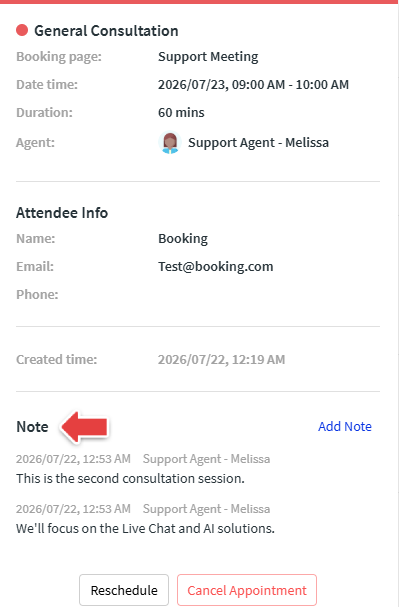
Agents can now add internal notes directly to appointments to help prepare for meetings and capture follow-up information afterward. Notes can be used to record discussion topics, preparation details, meeting outcomes, follow-up actions, or other important information. Multiple notes can be added to the same appointment, and all notes remain visible to authorized agents. Internal notes are never included in visitor emails, SMS notifications, or calendar events.
SMS Appointment Notifications
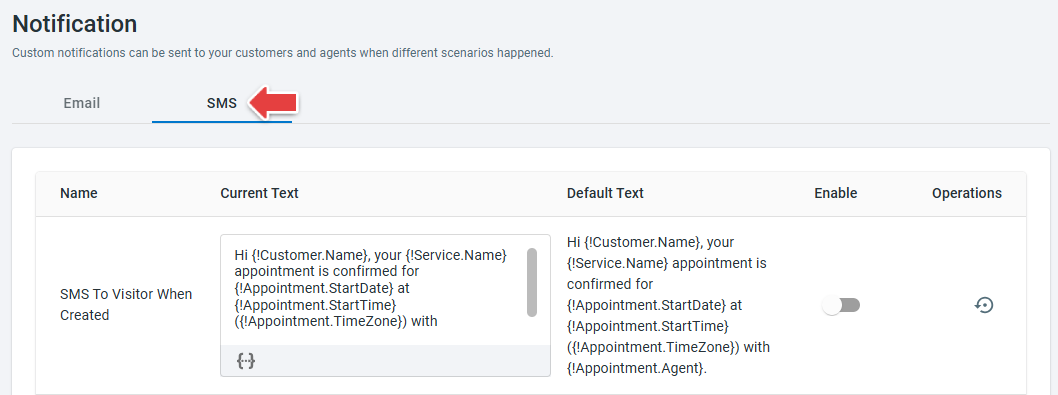
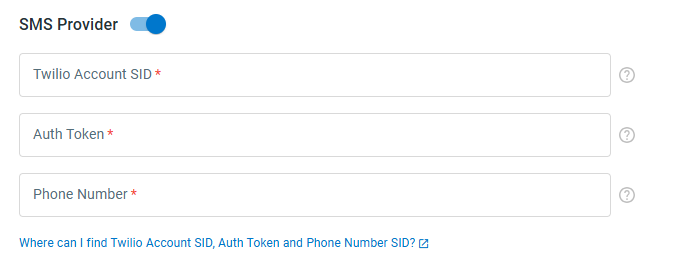
Booking now supports SMS appointment notifications through Twilio. You can configure Twilio for each Booking service and create SMS notification templates for visitors and agents for the following appointment events:
- Appointment created
- Appointment rescheduled
- Appointment cancelled
- No-show notifications
- Pre-appointment reminders
SMS templates support the same dynamic information as email notification templates, allowing appointment details to be inserted automatically into each message.