This release update highlights new features and usability improvements added to the Ticketing & Messaging product, designed to improve agent efficiency, visibility, and workflow flexibility.
Reporting Metric Linking to Ticket Details
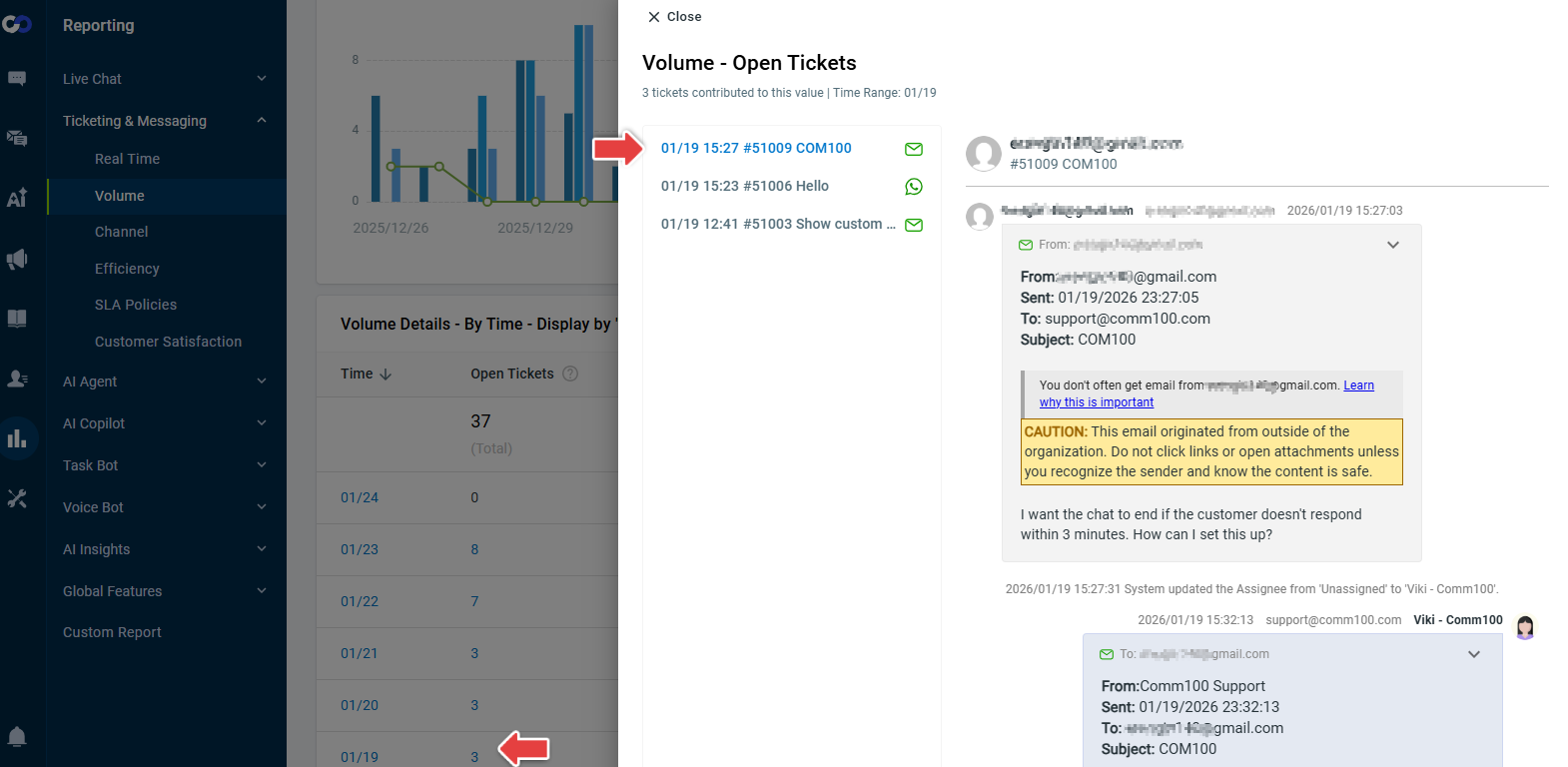
You can now click directly on numeric metrics within Ticketing & Messaging reports to open a filtered ticket list showing the underlying tickets that contributed to the selected metric value. This drill-down capability eliminates the need to switch back to the Agent Console and manually search, allowing you to view and analyze tickets more quickly and efficiently.
Ticket Age — Working Days Since Creation
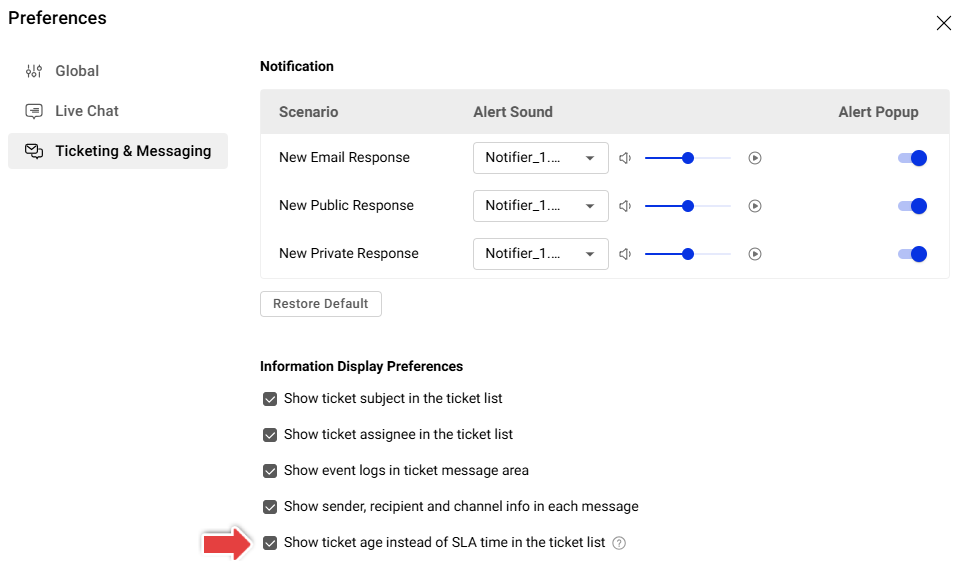
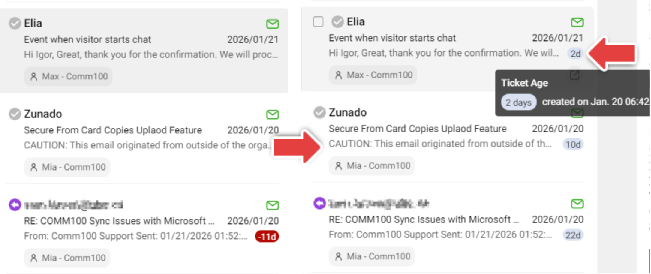
When the "Show ticket age instead of SLA time in the ticket list" option is enabled under Preferences > Ticketing & Messaging > Information Display Preferences, the ticket list will display ticket age based on the number of working days since ticket creation (starting from Day 1).
This enhancement provides you with immediate, business-relevant visibility into how long tickets have been open.
Tabs Reordering & Side-by-Side View
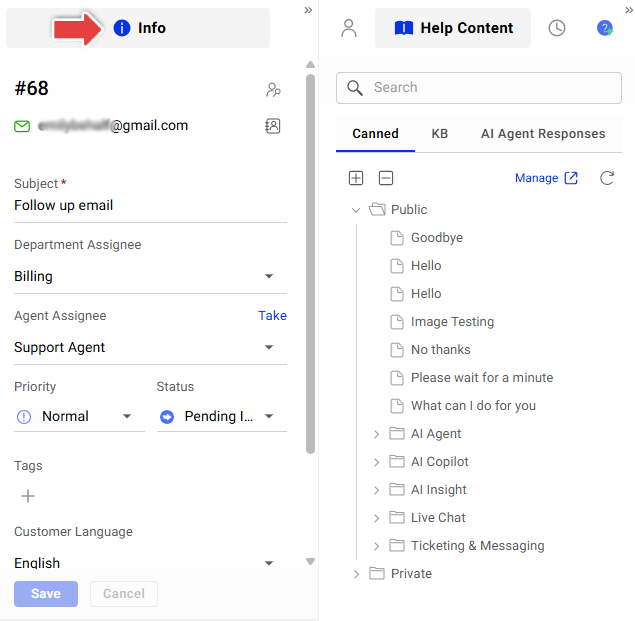
You can now reorder tabs (such as Info, Contact, and Help Content) in the Agent Console to match your personal workflow preferences. Tabs can also be dragged and dropped to display two tabs side-by-side, reducing unnecessary tab switching and allowing you to view more context at once.
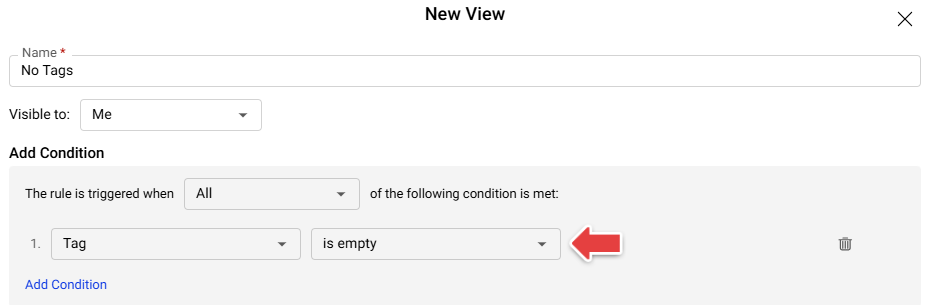
New View Filter: Tag is empty
A new filter option is now available in views, allowing you to quickly identify tickets that do not have any tags applied. This makes it easier to spot unclassified tickets and maintain consistent tagging practices.