
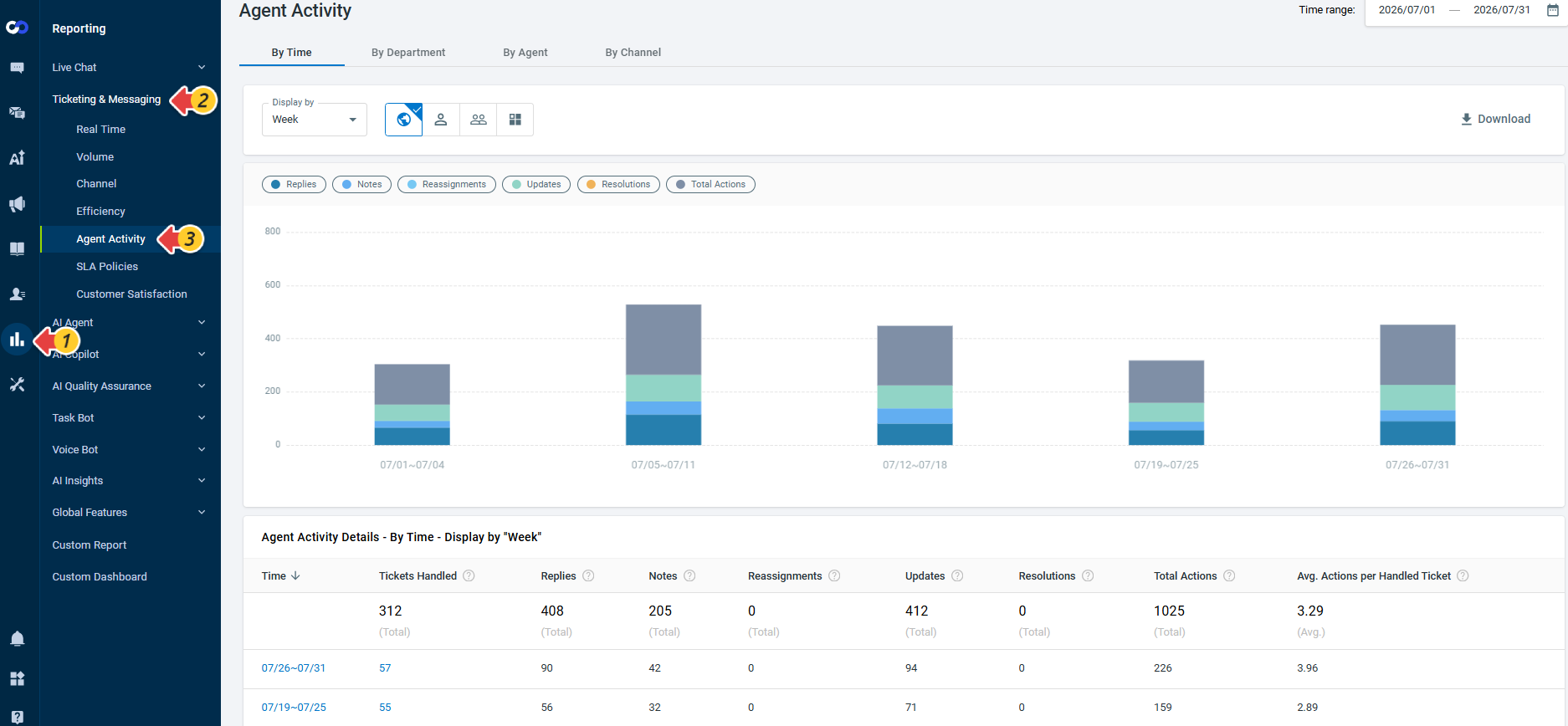
This release introduces the Agent Activity report for Ticketing & Messaging, providing greater visibility into how agents contribute to ticket handling. Instead of relying only on ticket assignment, the report tracks the actions performed by individual agents, helping you better understand agent workload and activity across tickets.
The report provides key metrics based on agents' ticket activities, including:
- Tickets Handled – The number of unique tickets where an agent performed at least one counted action, including a Reply, Note, Reassignment, Update, or Resolution.
- Replies – Customer-facing replies sent by an agent.
- Notes – Internal notes added by an agent.
- Reassignments – The number of times an agent changes a ticket's Agent Assignee or Department Assignee. Each reassignment is counted separately, so multiple assignment changes to the same ticket are counted as multiple reassignments.
- Updates – Agent-made changes to other ticket fields, excluding Agent Assignee changes, Department Assignee changes, and status changes to Resolved. Multiple eligible field changes made in the same save count as one Update.
- Resolutions – The number of times an agent changes a ticket's status to Resolved.
- Total Actions – The total number of Replies, Notes, Reassignments, Updates, and Resolutions performed by an agent.
- Avg. Actions per Handled Ticket – The average number of counted actions performed for each handled ticket, calculated by Total Actions divided by Tickets Handled.
You can view the report By Time, By Department, By Agent, or By Channel to analyze ticket activity from different perspectives and download the report data for further analysis.
Note:
- Agent Activity report is available on the Ticketing & Messaging Ultra and Omnichannel Ultra plans. To learn more about Comm100 product packages, visit here.
- A ticket is counted as handled when an agent performs at least one counted action on it. Being assigned to a ticket without performing a counted action does not cause the ticket to be counted as handled.