
With Comm100, you can upgrade your trial account to a paid account at any time before your 30-day free trial expires. Once your subscription is successfully activated, your account will be billed automatically according to your selected billing cycle. This article explains how to upgrade from a trial account to a paid account.
Introduction to Comm100 Plans
Comm100 offers a wide range of products and service packages designed to meet different business needs, including Live Chat, AI Solutions (AI Agent, AI Copilot, AI Insights, AI Knowledge, AI Quality Assurance, and AI Onboarding), Ticketing & Messaging, Knowledge Base, Queue Management, Voice, Booking and Service Packages.
These plans provide access to a comprehensive set of features that help you deliver efficient, engaging, and high-quality customer communications. Pricing is based on the number of agents, with both monthly and yearly subscription options available.
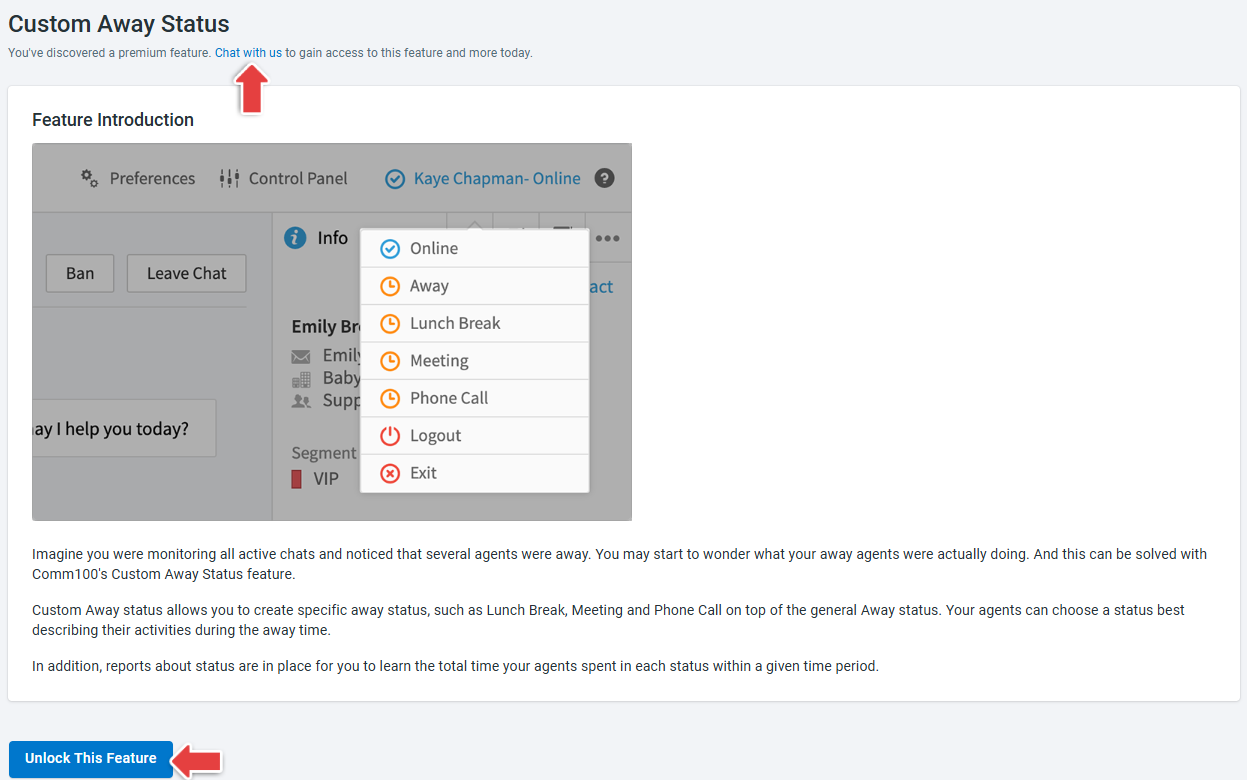
- During your free trial, some premium features may be locked. If you attempt to use a locked feature, you can click Unlock This Feature or Chat with us within the feature module to contact our online team for assistance.
- To learn more about Comm100 product features and pricing, visit here.
Step-by-Step Instructions
To upgrade to a paid account, follow these steps:
- Log in to your Comm100 Control Panel.
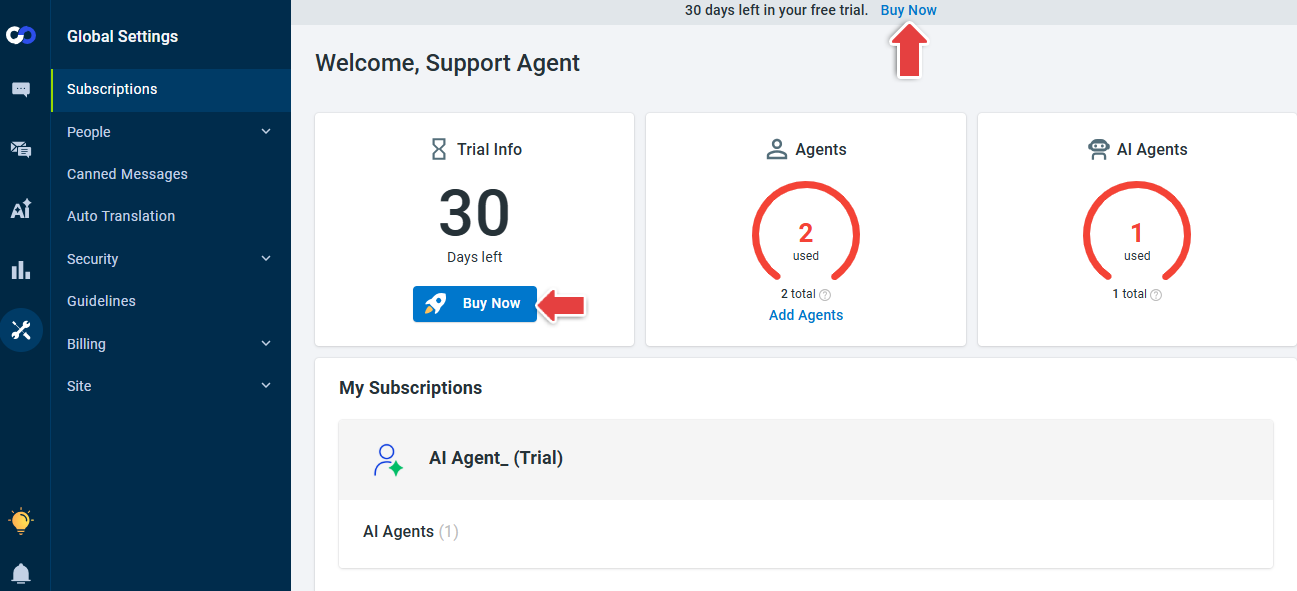
- Click Buy Now in the trial notice at the top of each page or on the Subscriptions page to start the billing process.
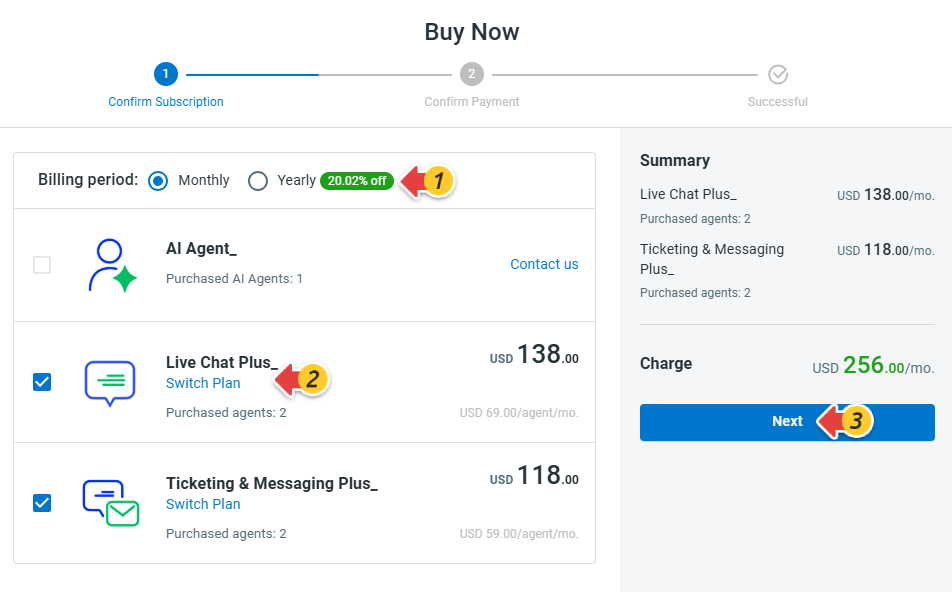
- In the Buy Now window, review the products you have been trialing, select your Billing period and the product you want to subscribe to, then click Next.Note:
- The Switch Plan option displays your current plan along with other available plans and their feature differences. To subscribe to a different plan, click Chat with us for assistance.
- Subscribing to AI solutions requires backend configuration. Please contact your Account Manager or click Contact us for guidance.
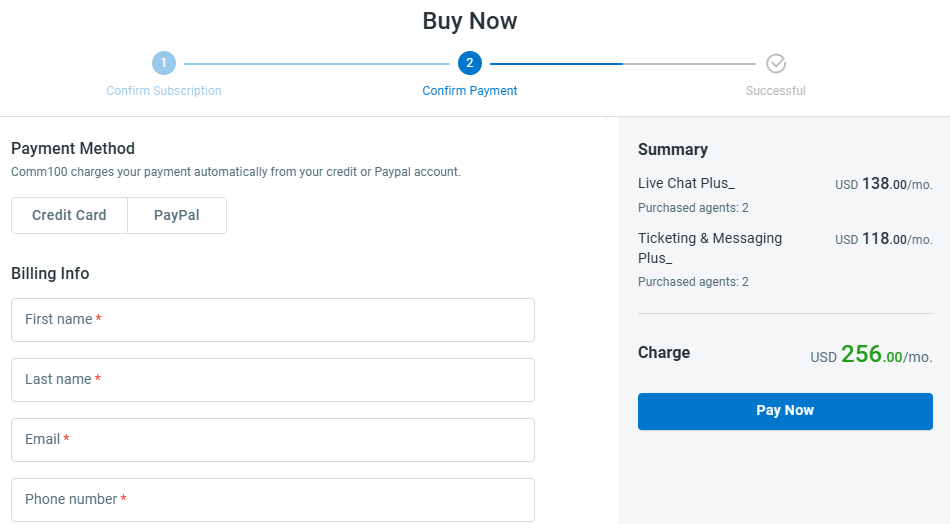
- Choose your Payment Method, enter your Billing Info, and click Pay Now.
Note: Comm100 accepts Visa, Master Card, American Express, PayPal, ACH, Wire transfer, corporate check, and USDT (TRC20). If you'd like to pay with ACH, Wire transfer, corporate check or USDT (TRC20), you can chat with us to get instant assistance.
- Review and confirm your order and billing details, then save it.
Once the upgrade is complete, your paid subscription will take effect immediately, and you can continue using Comm100 without interruption.