
Comm100 Live Chat allows agents to add wrap-up comments and categorize chats after a conversation ends, helping your team track chat outcomes and analyze performance more effectively.
The Agent Wrap-Up form contains multiple fields that agents can use to comment on and categorize chats. Each wrap-up field can be configured as Visible, Required, or both, depending on your business needs.
Setting Up Agent Wrap-up Fields
To set up Agent Wrap-up fields, follow these steps:
- Log in to your Comm100 Control Panel.
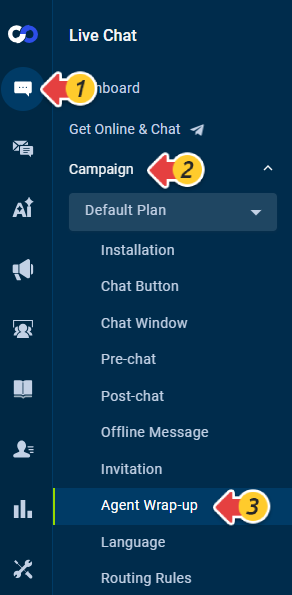
- From the left navigation menu, go to Live Chat > Campaign > Agent Wrap-up.
- Comm100 provides two default system fields: Category and Comment. To add additional fields, click Add a Field.
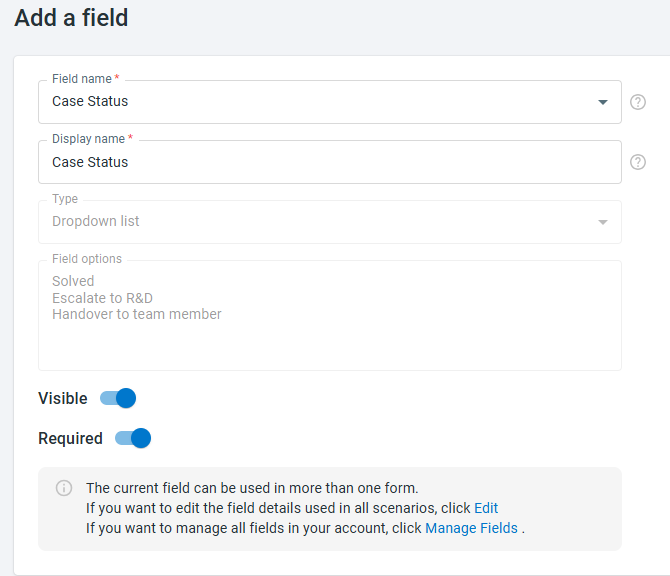
- On the Add a field page, select an existing custom field or click New Field to create one. Then choose whether the field should be Visible, Required or both.
- Click Save.

Configuring the Category System Field
Category is a system field that allows you to define the options agents can select when completing a chat wrap-up. You can organize Category options using Basic mode or Advanced mode and control whether agents can select one or multiple options.
- Category options and selection settings are account-based and shared across all Live Chat campaigns. Changes made in one campaign affect all campaigns in the account.
- You cannot edit the field name or field type for system fields.
To configure the Category field:
- On the Agent Wrap-up page, click the Edit icon for the Category field in the Operations column.
- On the Edit Field page, configure whether the Category field is Visible and Required.
- Turn Allow agents to select multiple options on or off:
- Off: Agents can select one Category option.
- On: Agents can select multiple Category options.
- Off: Agents can select one Category option.
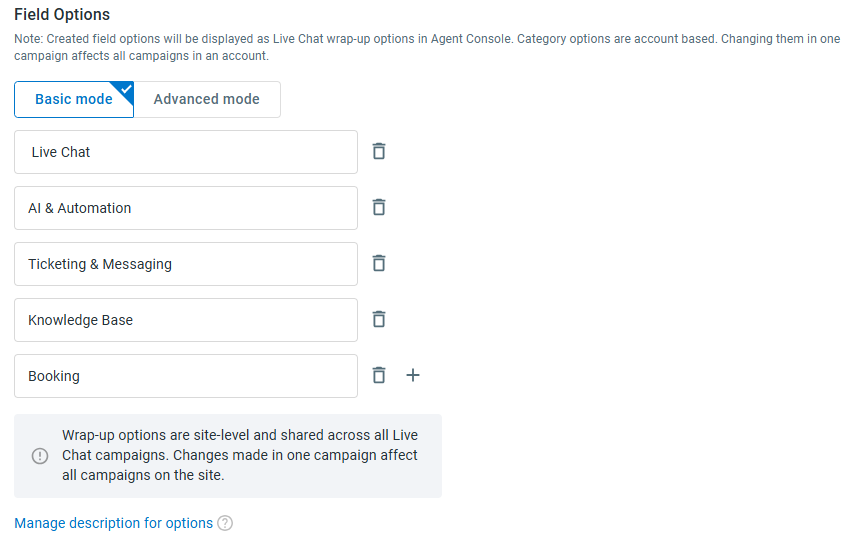
- Under Field Options, select Basic mode or Advanced mode and configure the Category options as described below.
Basic Mode
Use Basic mode when you want to provide agents with a flat list of Category options.
You can add, edit, delete, describe, and reorder the options as needed. At least one active Category option must remain.
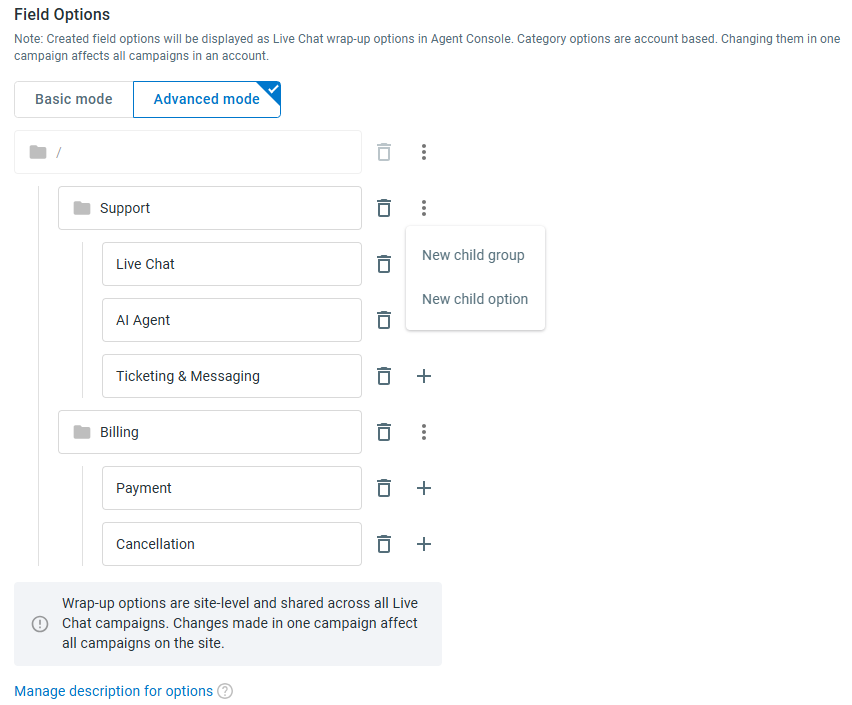
Advanced Mode
Use Advanced mode when you want to organize Category options into groups and subgroups.
The Category structure starts from the root directory (/). From the root, you can create top-level groups. Within a group, you can add child groups or Category options.
When configuring the hierarchy:
- You can create up to four levels of category groups.
- A group can contain both child groups and Category options.
- Category options can be added under any group level.
- Category options cannot be added directly under the root directory.
- Groups are used only to organize options and cannot be selected by agents.
- Groups and options can be reordered within the same parent group.
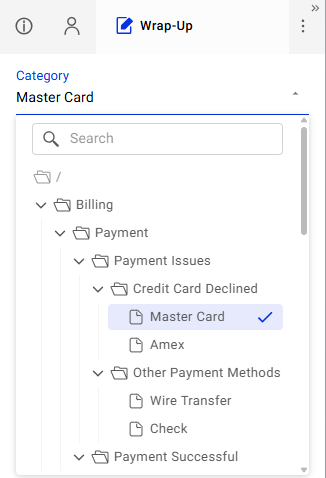
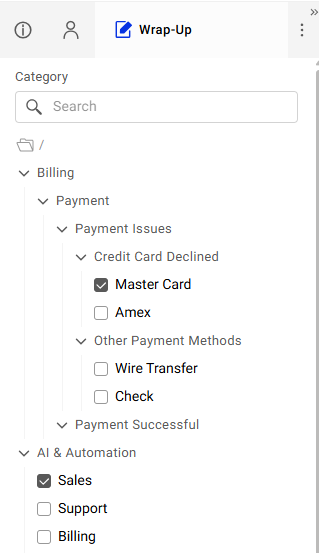
For example, a Category hierarchy can be configured as: Billing > Payment > Payment Issues > Credit Card Declined > Mastercard
In this example, the first four entries are category groups, and Mastercard is the selectable Category option.
In the Agent Console, Basic mode displays a flat list of Category options, while Advanced mode displays the configured category hierarchy. The selection behavior follows the Allow agents to select multiple options setting. In Advanced mode, groups can be expanded or collapsed to help agents locate the appropriate option, but only Category options can be selected.
- Click Save.
The new settings take effect immediately. You do not need to re-paste the Live Chat code for the changes to apply. If you are currently logged in to the Agent Console, log out and back in for the updates to appear.