
After integrating Comm100 Live Chat with Comm100 Ticketing & Messaging, agents can manually create a new ticket from a chat or attach the chat to an existing ticket directly from the Agent Console. This allows agents to follow up on chat conversations in Ticketing & Messaging without switching between applications.
To learn how to integrate Ticketing & Messaging with Live Chat, see this article.
Step-by-Step Instructions
To create a ticket from a chat, follow these steps:
- In the Agent Console, click the Create ticket icon on the top toolbar.
- On the Follow up on this chat pop-up, choose whether to create a new ticket or attach the chat to an existing ticket.
- Click OK.
- Click Close.

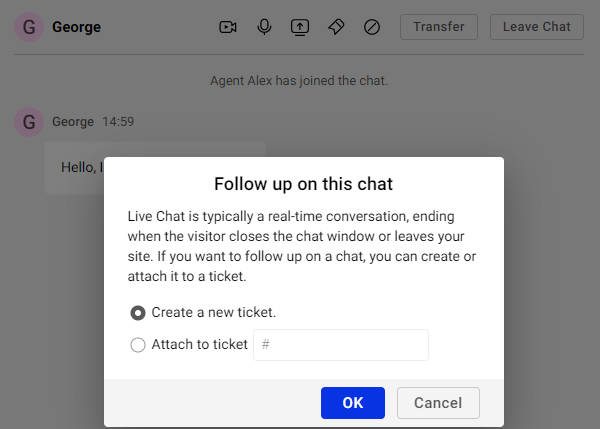

When the chat ends, the chat transcript is attached to the new or existing ticket. You can then continue the follow-up in Ticketing & Messaging.
