In the Comm100 Agent Console, you can set up a pre-defined and personalized message that is automatically sent to a visitor once a chat is accepted. Each agent can configure their own automatic greeting message based on personal preferences.
Note: To learn more about customizing settings in the Agent Console, see this article.
Step-by-Step Instructions
To set up an automatic greeting message, follow these steps:
- Log in to the Agent Console.
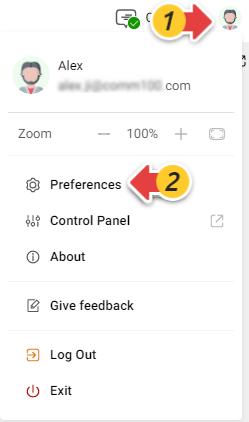
- Click your avatar in the upper-right corner, then select Preferences.
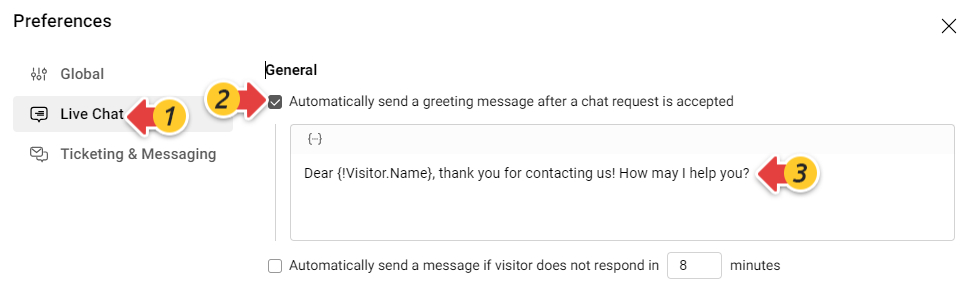
The Preferences pop-up appears, allowing you to customize your Agent Console settings at different levels: Global, Live Chat, and Ticketing & Messaging. - Go to the Live Chat tab.
- Select the Automatically send a pre-defined message after a chat request is accepted checkbox, and edit your message based on your needs. You can also use the dynamic info, such as visitor name, to personalize your greeting.
- The message is saved automatically once you finish editing.