
This article helps you troubleshoot common login issues when accessing the Comm100 Control Panel or Agent Console. You can review the possible causes and follow the suggested solutions to resolve the problem.
Problem
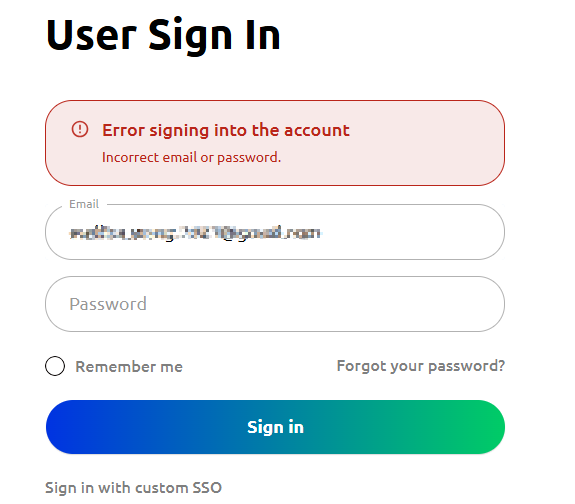
I receive an Incorrect email or password error message while trying to log in to my Comm100 Control Panel or Agent Console.
Cause
One or more of the following may be causing the issue:
- The email address or password entered does not match the credentials associated with your Comm100 account.
- You are trying to log in from the wrong login URL. For on-premises clients, if you are getting this error, it can also mean that you are trying to get access using the wrong login URL or the wrong version of the desktop app.
- Your account may be closed.
Solution
- Confirm with your team or administrator that the email address you are using matches the one associated with your Comm100 account. This can be verified in the Global Settings > People > Agents.
- Click Forgot your password? on the login page and follow the instructions to reset your password.
- Your Comm100 account Administrator has the right to reset the Password of agents.
- Ask your team or administrator for the correct login URL. If you are an on-premises customer, ensure you are using the correct environment URL.