
Comm100 allows you to respond to messages sent by your customers through integration with the Telegram account. To set up the integration with Comm100, you need to provide the Bot Token from the bot that you create in your Telegram account.
Note: You can use Telegram on either a mobile device or desktop to create a bot and obtain the token. However, using the Telegram Desktop client may make it easier to copy and manage the Bot Token.
Step-by-Step Instructions
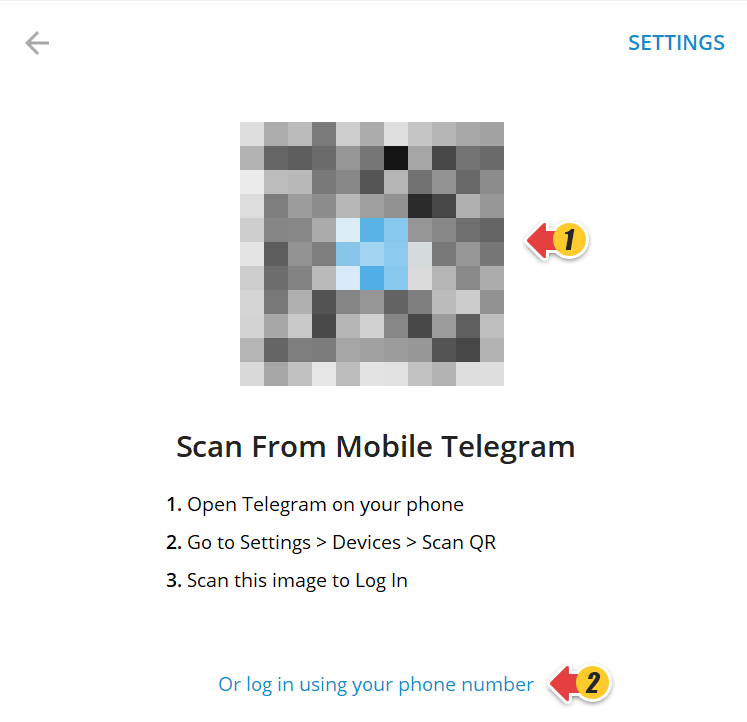
- Log in to the Telegram account using your registered phone number or by scanning the QR code from your mobile Telegram.
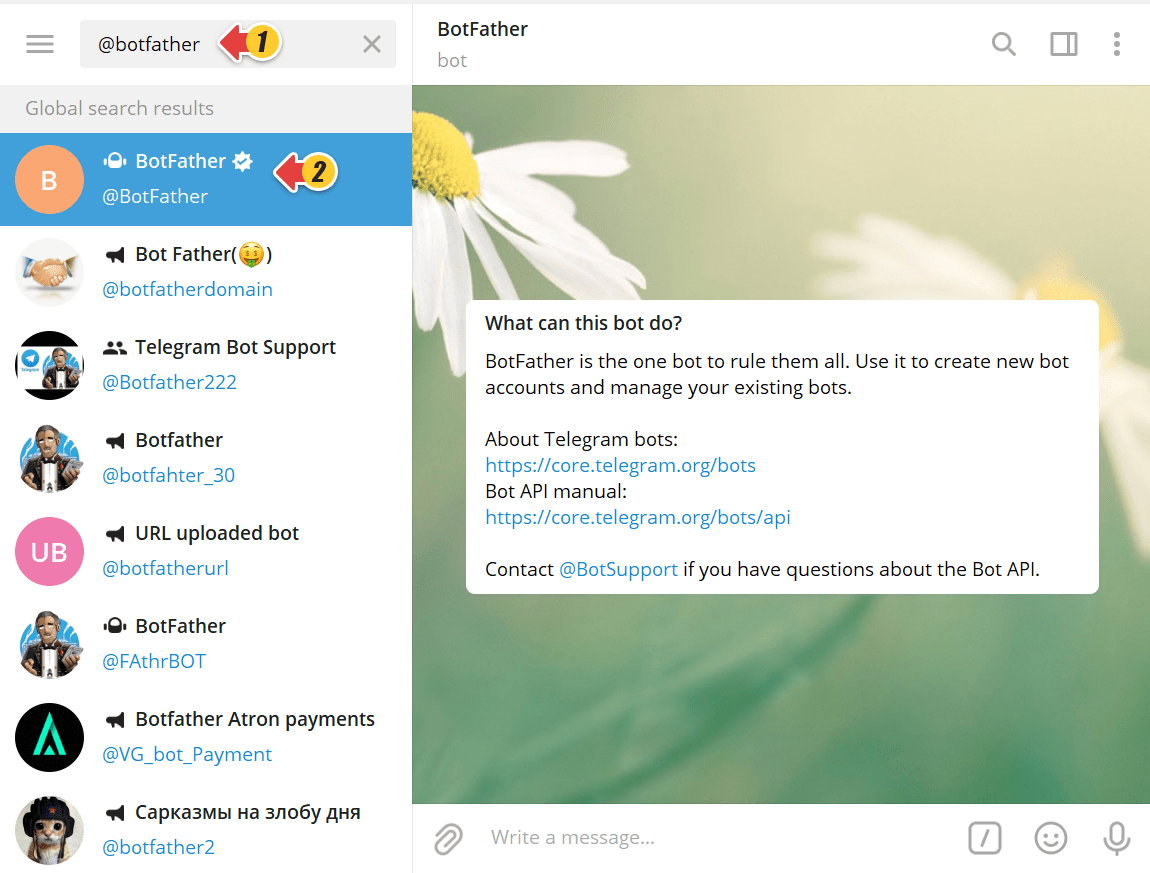
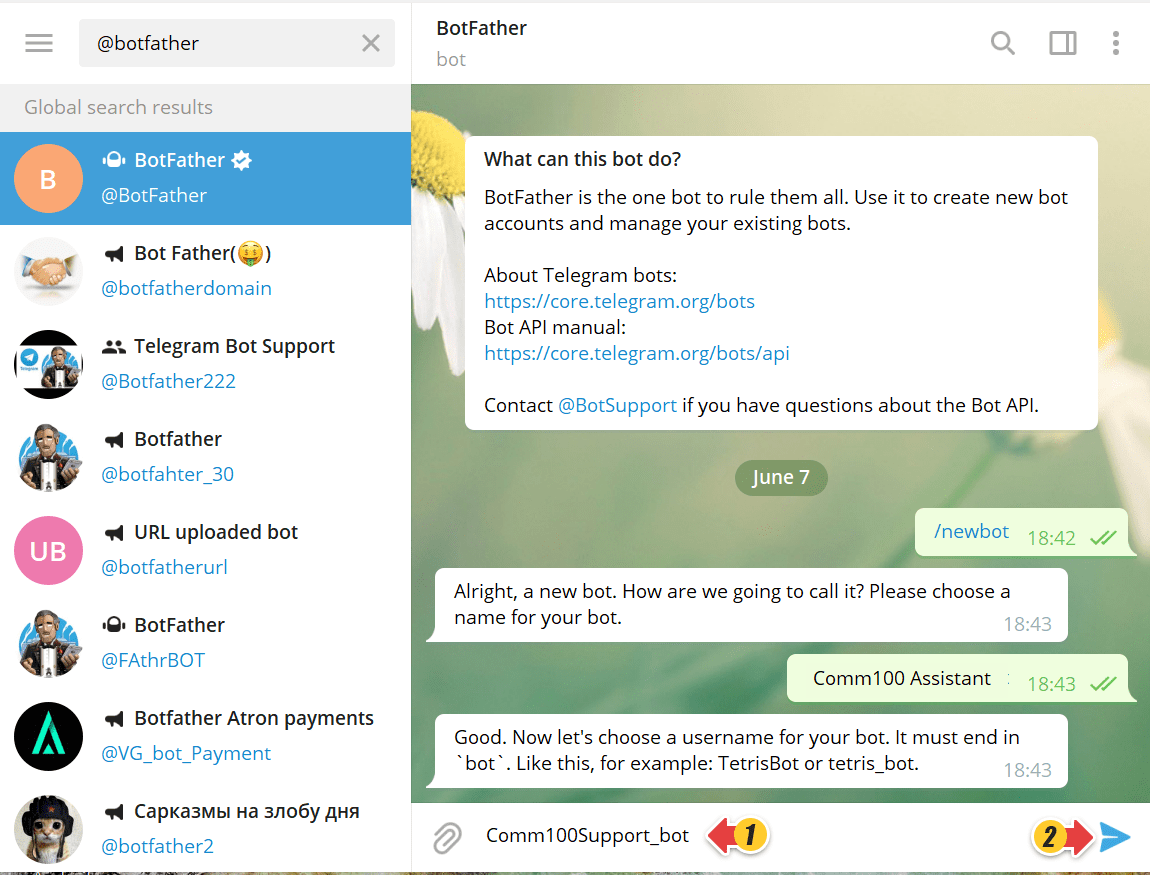
- On the Search bar, type @botFather and select the BotFather bot from the Contact List.
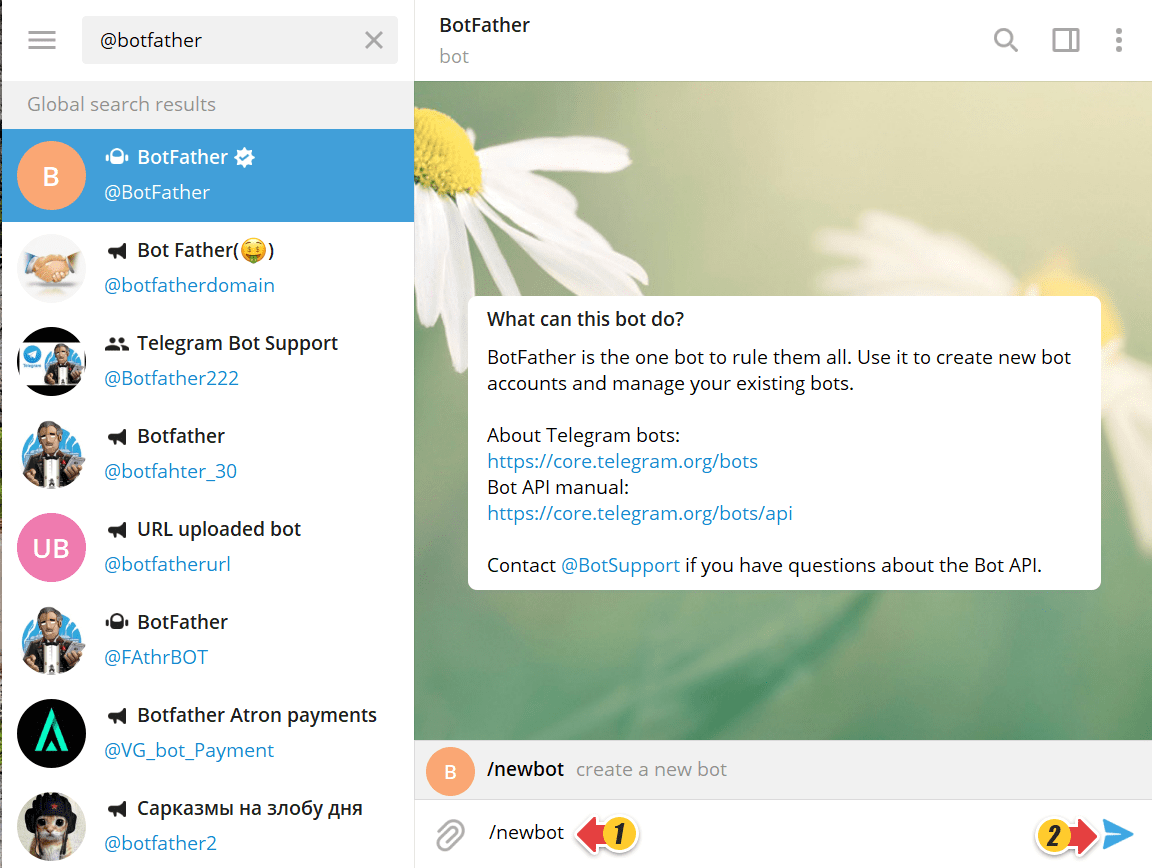
- In the Reply area of the Conversation pane, type /newbot and click Send to create a new bot.
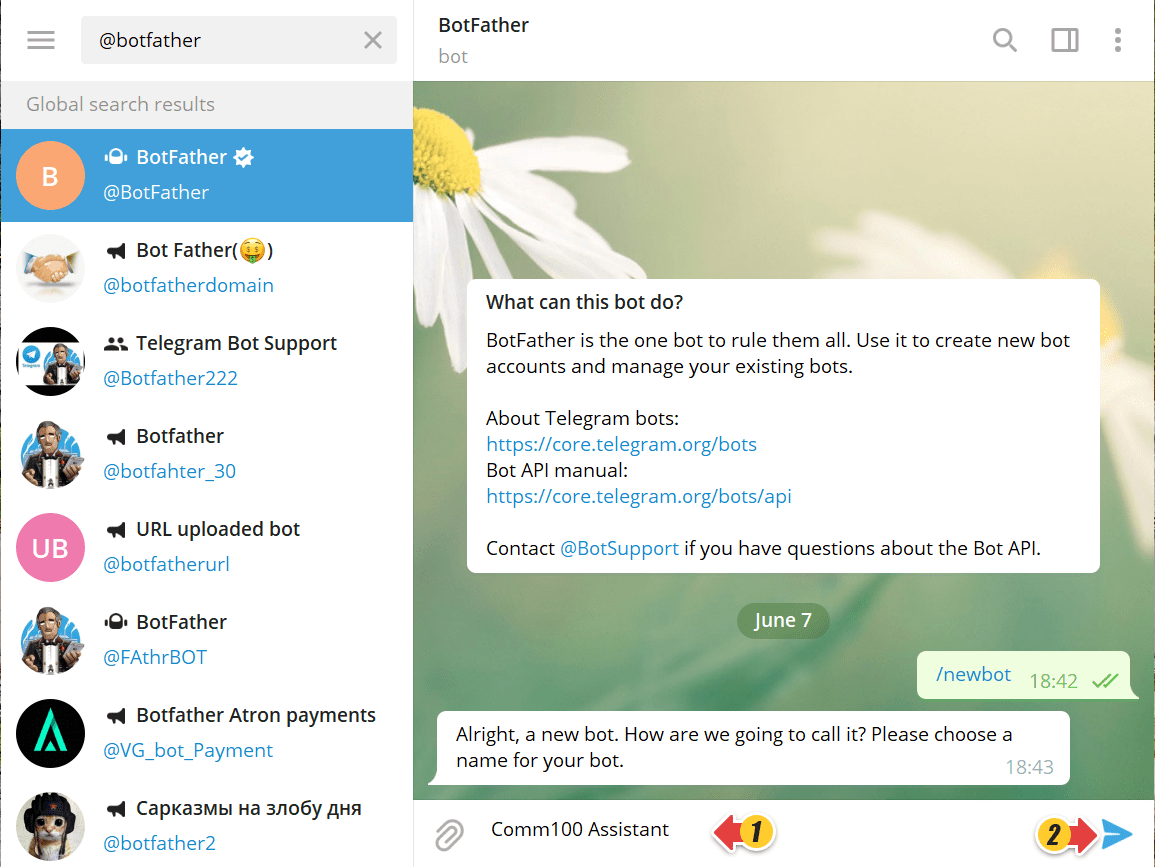
- Type the name of the new bot and click Send.
- Type the username of the new bot and click Send.
Note: The username of the bot must end in bot.
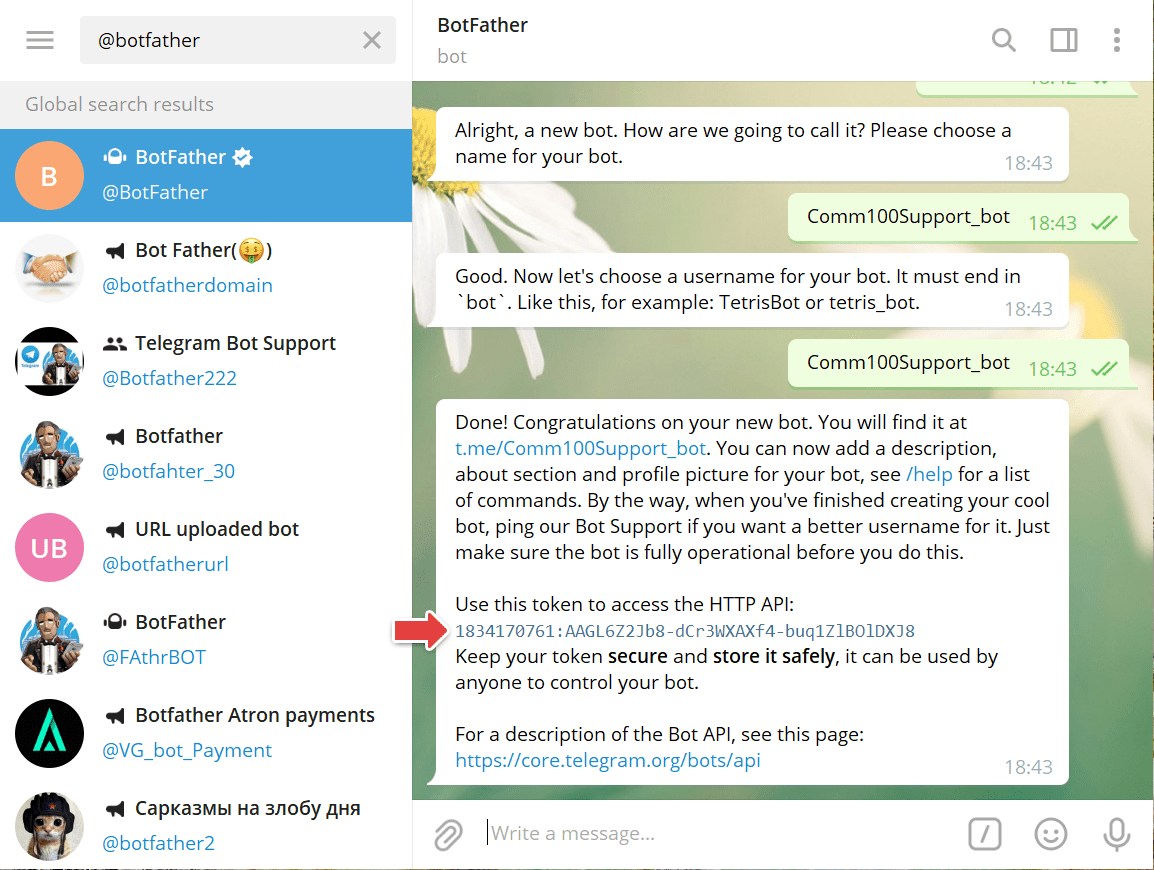
Your new Telegram bot is created successfully. You receive the congratulatory message from the BotFather bot along with other information. - Locate the token to access the HTTP API from the message received. This is your Bot Token.
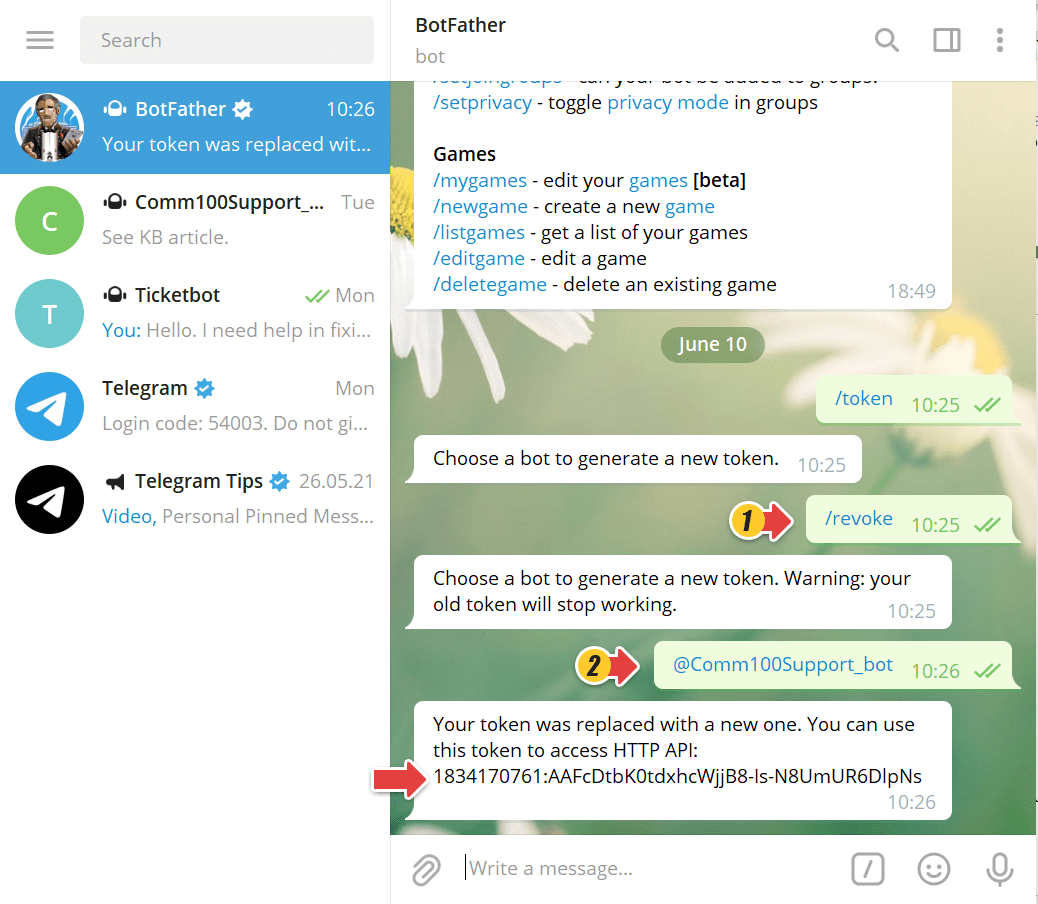
- If you need to change your bot's token, type /revoke and choose your bot name.
BotFather will replace your token with a newer one.
You’ve located the Bot Token from your Telegram account. After that, you can move on with your Telegram channel integration and start seeing and responding to messages using Comm100.