
Visitors’ Average Waiting Time refers to the average amount of time visitors wait before an agent accepts their chat requests. With Comm100 Live Chat, you can view this metric across your entire site, or filter it by specific departments.
Note: The Wait Time report is available in the Live Chat Ultra edition. To compare features across different editions, visit this page.
Step-by-Step Instructions
- Log in to your Comm100 account.
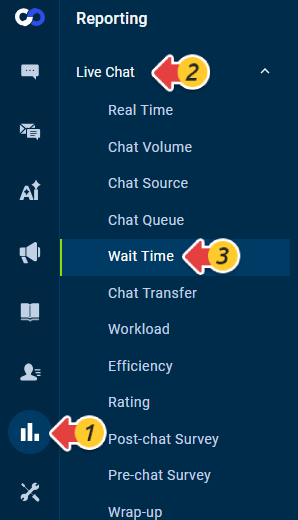
- From the left navigation menu, go to Reporting > Live Chat > Wait Time.
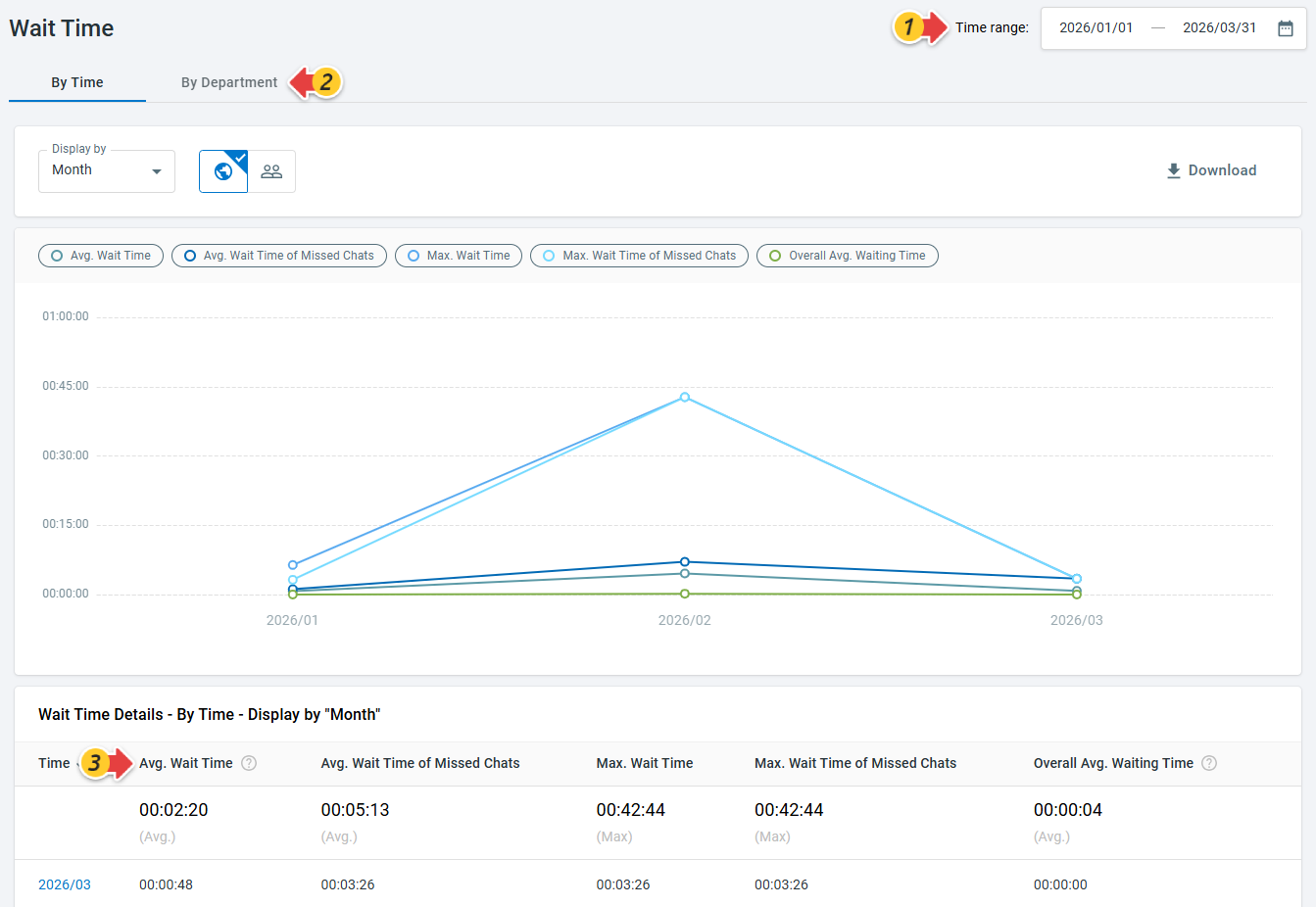
- Locate the Avg. Wait Time metric in the report.
- You can use the Time Range to adjust the reporting period, and choose to view the data By Time or By Department.
To learn more about Comm100 reports, see this article.