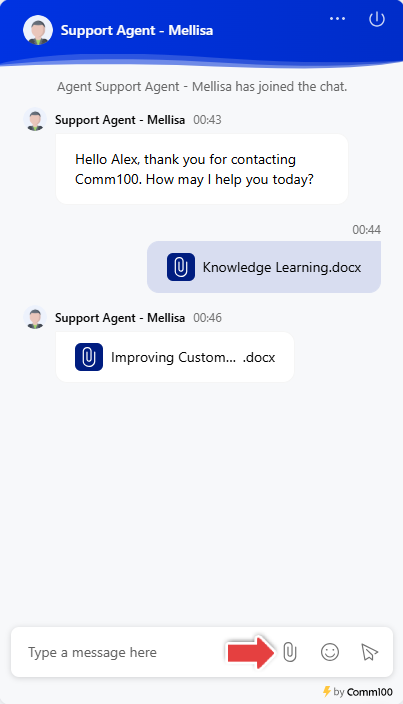
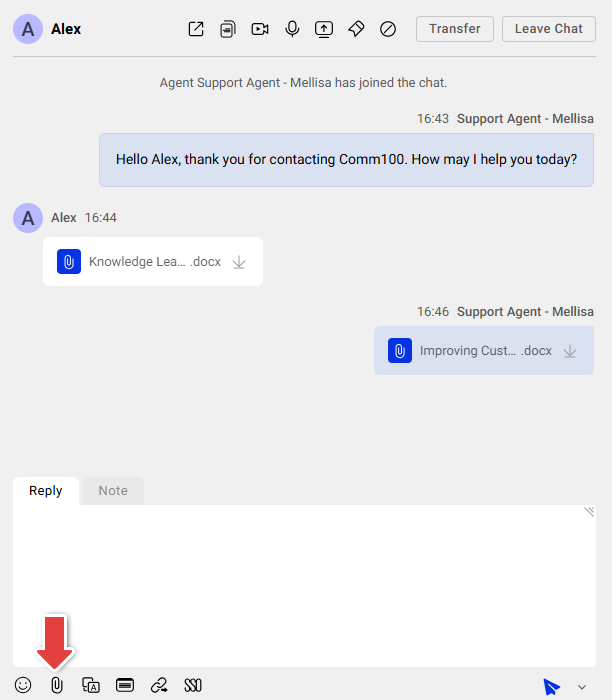
Comm100 Live Chat supports file transfer between agents and visitors. Both parties can share images, videos, and documents quickly by either dragging and dropping files into the chat window or using the Send File icon. All transferred files are automatically attached to the chat transcript for future reference.
Limits and Requirements for Sending Files
- Up to 20 files can be transferred between the agent and the visitor during a chat session.
- The maximum file size allowed for each file is 10 MB.
- Comm100 supports a wide range of file formats including DOC, PDF, XLSX, MP4, and so on. Unsupported file formats include EXE, SYS, SRC, CMD, BAT, RAR, DLL, COM, ISO, RM, AVI, TMP, MDF, MID, JAR, and DMG.
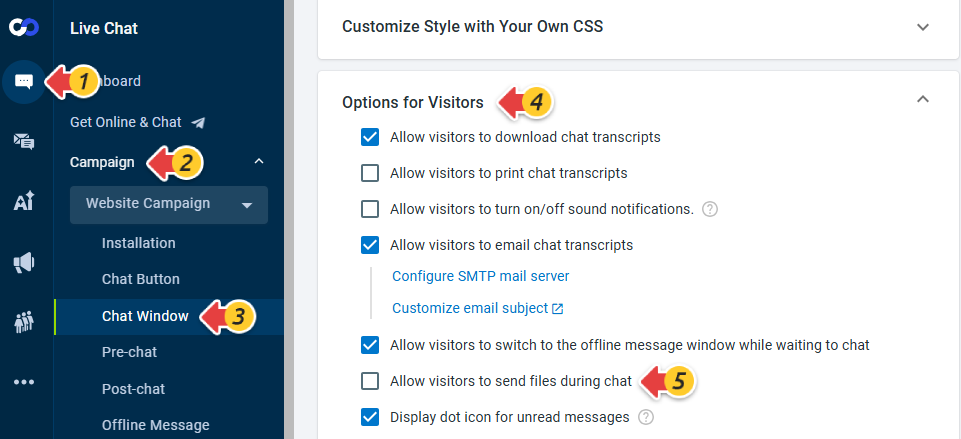
- The option for visitors to send files can be disabled in the Control Panel, under Live Chat > Campaign > Chat Window > Options for Visitors. Once this option is disabled, visitors will no longer be able to send files, and the drag-and-drop function will also be disabled.