This release update introduces the enhanced Custom Mail Servers feature, expanding email configuration options and centralizing control under Global Settings.
Previously known as Custom SMTP Servers, accessible from Global Settings > Site, this feature now supports both Microsoft 365 and Gmail connections, in addition to traditional SMTP configurations.
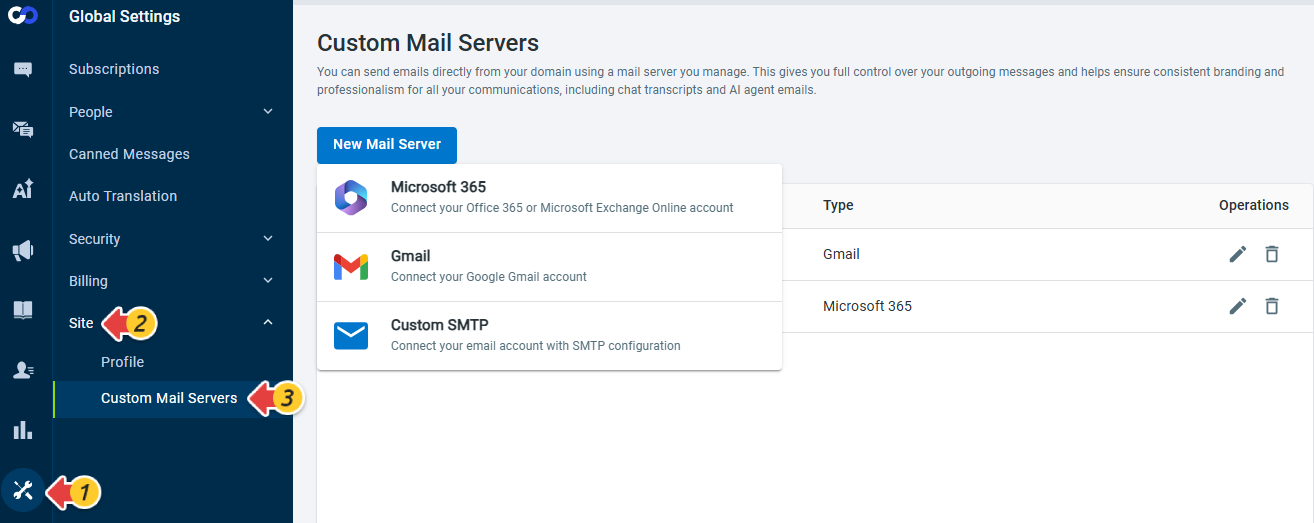
Note: For the Send an email action in AI Agent, the From server can be set to the Comm100 SMTP Server or a custom mail server configured with the Custom SMTP type. Custom mail servers configured with Microsoft 365 or Gmail are not available for this action.
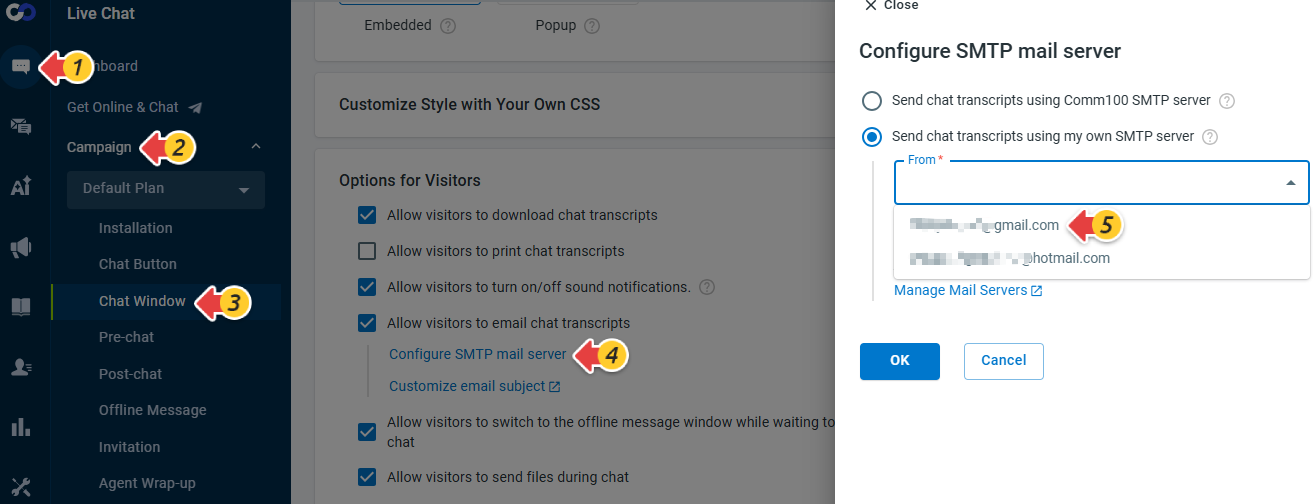
With this release, existing Custom SMTP server configurations in Live Chat will be automatically migrated to Custom Mail Servers. In Live Chat Window configurations, you can now select from one of the mail servers configured in Global Settings.