
Responsible Gambling Reporting helps you monitor Marker of Harm activity, identify risk trends, review affected conversations, and track AI Credit consumption.
Reporting includes the following sections:
Overview: Provides a summary of Marker of Harm detections, risk distribution, Marker of Harm performance, and Category activity.
Markers of Harm: Shows detection trends for individual or all Markers of Harm over time.
History: Lists the Chats and Tickets where Markers of Harm were detected.
AI Credit Usage: Shows the AI Credits consumed by Marker of Harm analysis.
Responsible Gambling reports include data from both Live Chat and Ticketing & Messaging where applicable.
Overview
The Overview report provides a high-level view of Responsible Gambling activity.
To view the report:
Log in to your Comm100 Control Panel.
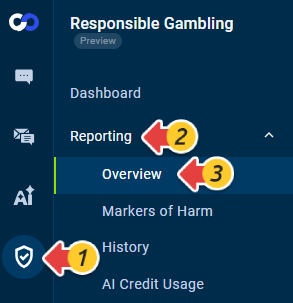
From the left navigation menu, go to Responsible Gambling > Reporting > Overview.
Set the Time Range and select a Marker of Harm as needed.
The report includes:
- Overview: Provides a summary of key Responsible Gambling activity, including total Marker of Harm detections, High and Critical detections, and active campaigns and channels.
Metric
Description
Markers of Harm Detected
The total number of Marker of Harm detections within the selected scope.
High & Critical
The number of detections associated with Risk Scores 4 - High and 5 - Critical.
Active Campaigns & Channels
The number of active Live Chat campaigns and Ticketing & Messaging channels accounts associated with Responsible Gambling.
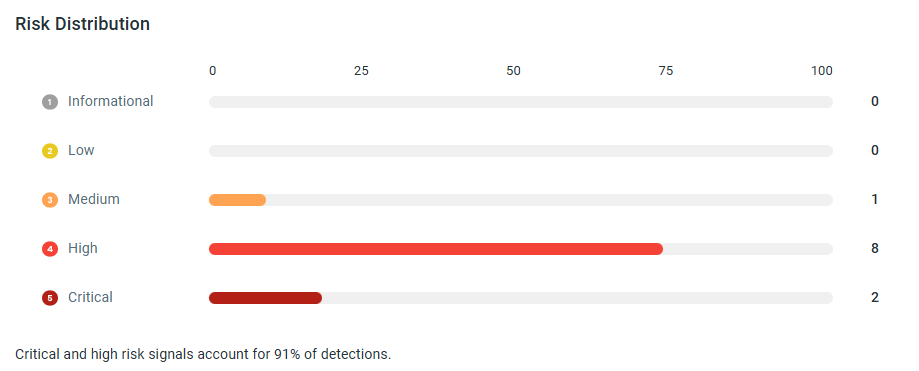
Risk Distribution: Shows the number and distribution of detections across Informational, Low, Medium, High, and Critical Risk Scores.
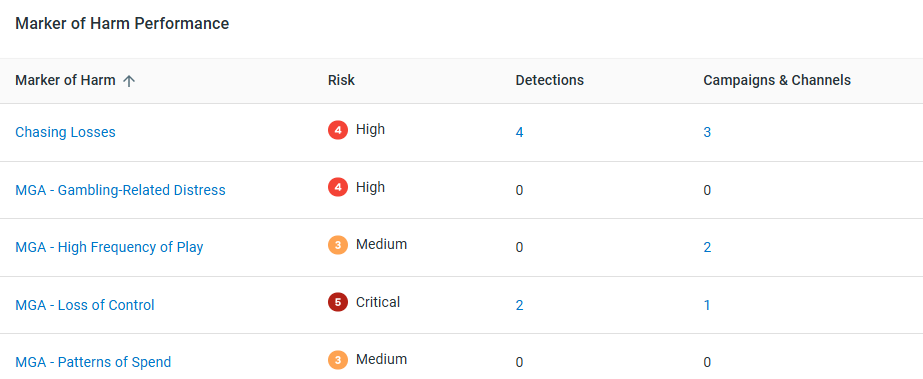
Marker of Harm Performance: Shows each Marker of Harm, its Risk Score, number of detections, and associated campaigns and channels.
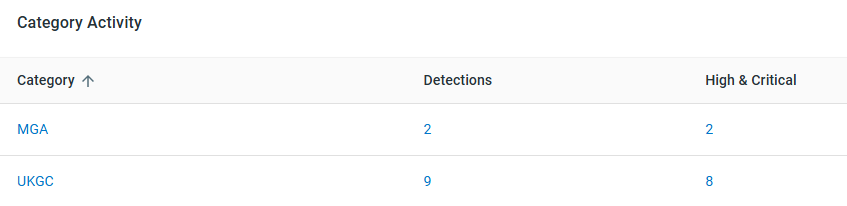
Category Activity: Shows detection activity by Marker of Harm Category, including the number of detections and High and Critical detections.

Markers of Harm
The Markers of Harm report provides a time-based breakdown of detections by Risk Score.
To view the report:
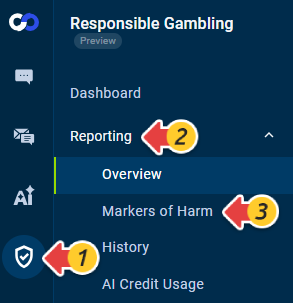
Go to Responsible Gambling > Reporting > Markers of Harm.
Configure the report using the available options:
Time Range: Select the period you want to review.
Display by: Group the report data by day, week, or month.
Marker of Harm: Select a specific Marker of Harm or view all Markers of Harm.
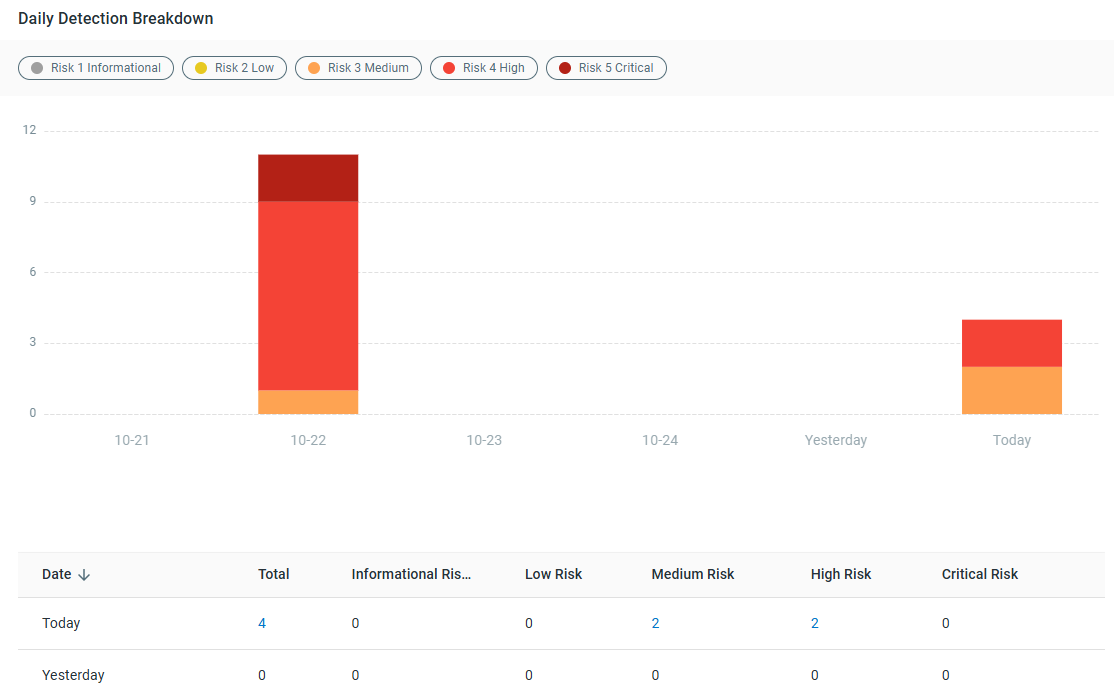
The Detection Breakdown chart shows the number of detections over time, grouped by Risk Score. You can also use the table below the chart to view the total number of detections for each period and risk level.
History
The History report allows you to review the Chats and Tickets where one or more Markers of Harm were detected.
To review the report:
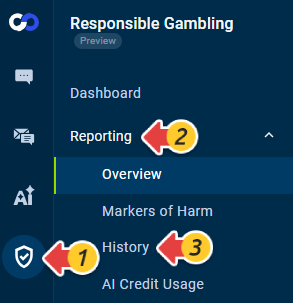
Go to Responsible Gambling > Reporting > History.
Use the available filters to narrow the results. You can filter by date range, Department, Agent, Bot, Markers of Harm, and MOH Categories, or use the search box to locate specific records.
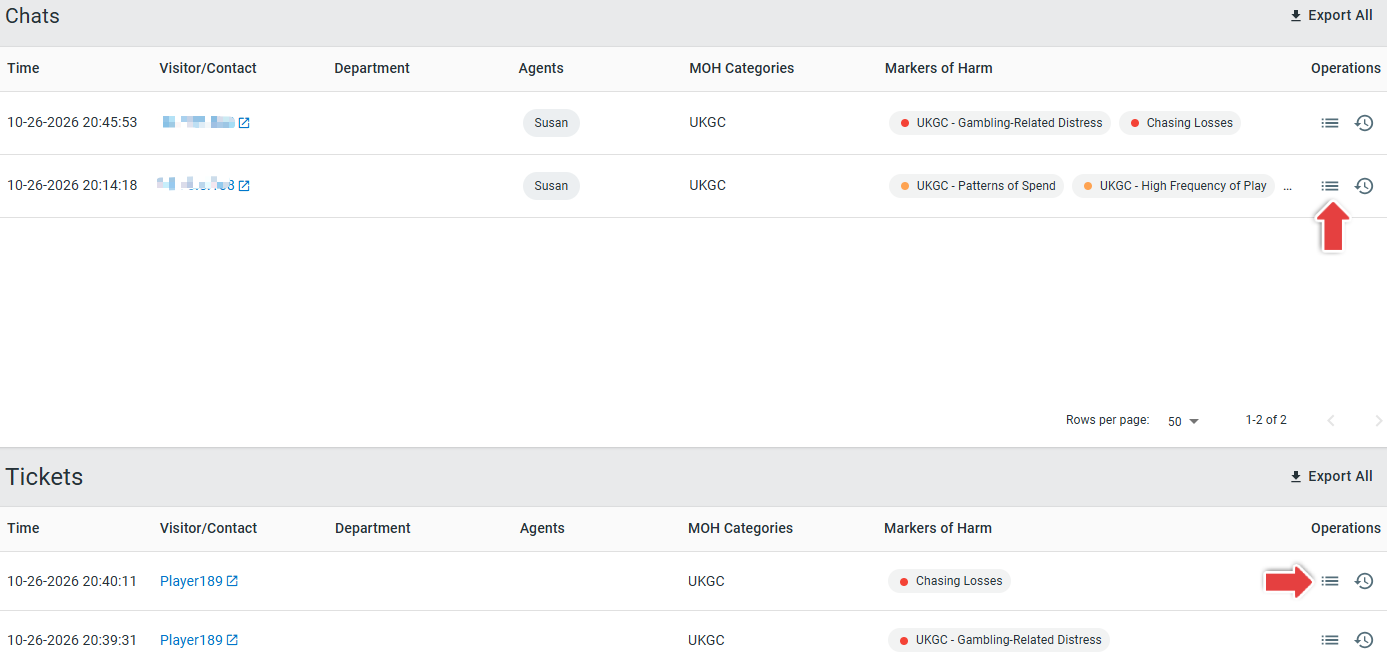
The results are organized into separate Chats and Tickets sections. Each record includes the following information:
Time
Visitor/Contact
Department
Agents
MOH Categories
Markers of Harm
Operations
If multiple Markers of Harm are detected in the same Chat or Ticket, they are grouped in the same record rather than displayed as separate interaction records.
In the Operations column, click Details to open the related Transcript Detail page and review additional information. For a Ticket record, click Open Ticket to open the corresponding Ticket in Agent Console. Your existing access permissions for the source Chat or Ticket still apply.
AI Credit Usage
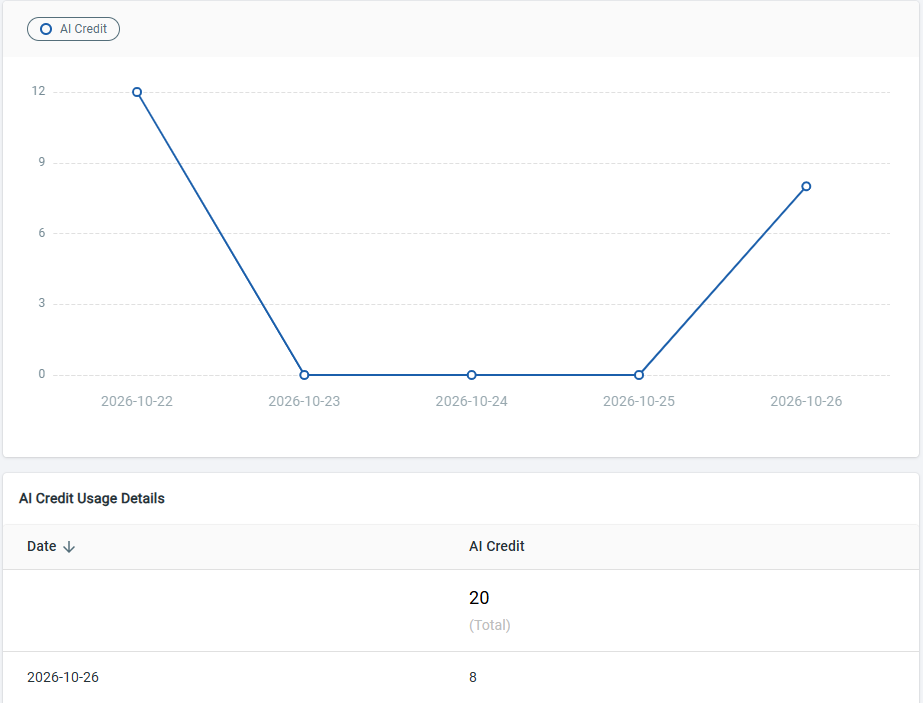
The AI Credit Usage report shows the number of AI Credits consumed by Marker of Harm analysis over time.
To view the report:
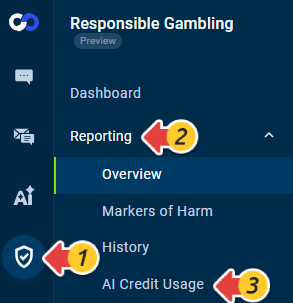
Go to Responsible Gambling > Reporting > AI Credit Usage.
Select the Time Range and how you want the data to be displayed.
Review the AI Credit usage trend and the AI Credit Usage Details table.
AI Credits are consumed only when Marker of Harm analysis is performed.
Analysis | AI Credit Consumption |
Live Chat - After Chat Ends | 1 AI Credit per chat analyzed |
Live Chat - Real Time | 1 AI Credit per message analyzed |
Ticketing & Messaging | 1 AI Credit each time a Marker of Harm analyzes a message |