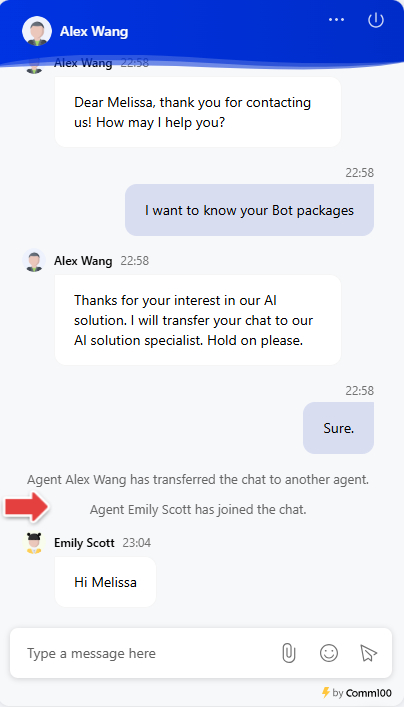
Comm100 Live Chat supports chat transfer to help agents route conversations to the most appropriate team or specialist. During an ongoing chat, agents can transfer the conversation to another department or to a specific online agent directly from the Agent Console.
This article introduces the steps to transfer a chat from the Agent Console.
Transfer a Chat to Another Department
To transfer a chat to a department, follow these steps:
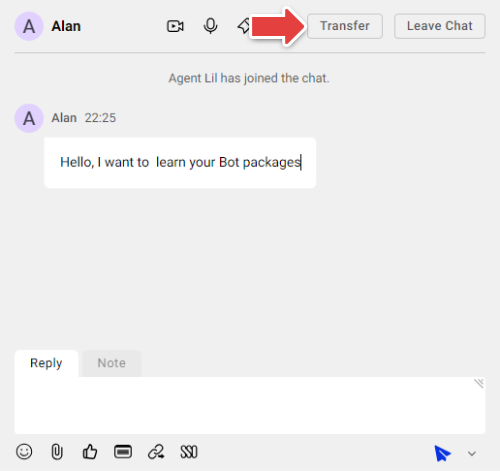
- In the Agent Console, click Transfer.
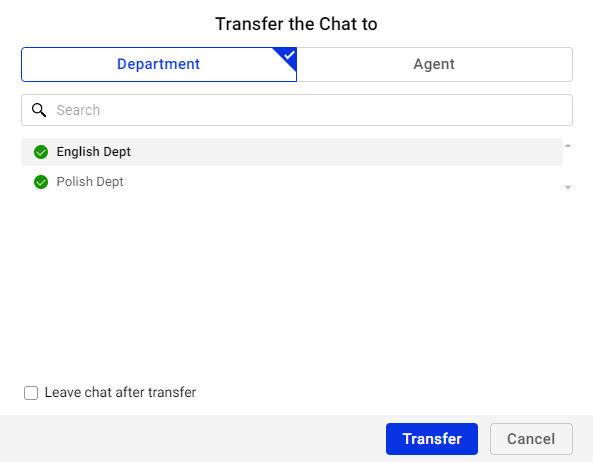
- On the Transfer the Chat to popup, select the Department option.
- From the department list, select the department you want to transfer the chat to.
- (Optional) Select Leave chat after transfer if you want to exit the chat once the transfer is completed.
- Click Transfer.
The chat will be transferred to one available agent in the selected department according to the configured Auto Distribution Method.
- If Auto Distribution is enabled, the chat will automatically be routed to an available agent in that department based on the configured distribution method.
- If Auto Distribution is not enabled, or all agents in the department have reached their maximum number of concurrent chats, all agents in that department will receive a notification. The notification will remain active until one of the agents accepts the transferred chat.
Transfer a Chat to an Online Agent
To transfer a chat to a specific online agent, follow these steps:
- In the Agent Console, click Transfer.
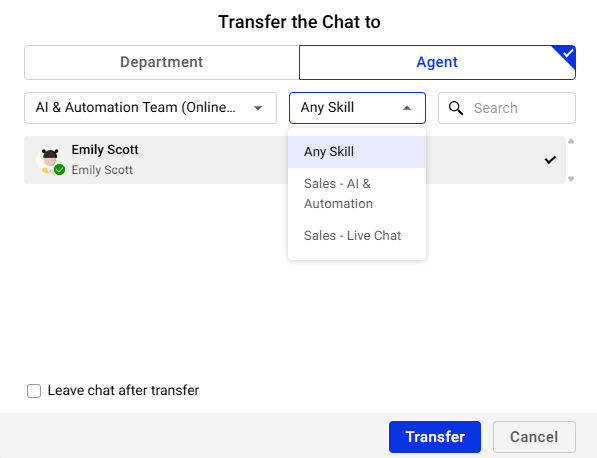
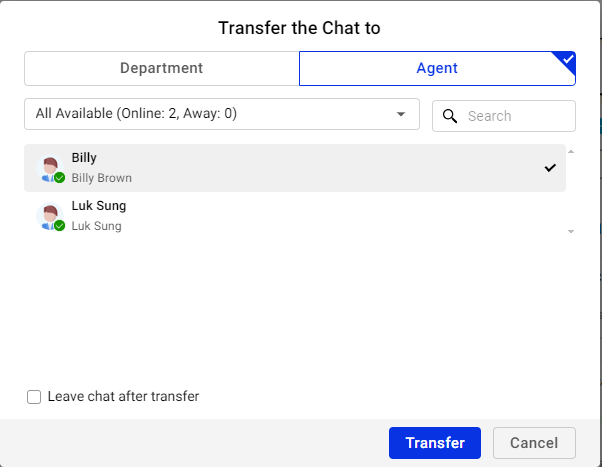
- On the Transfer the Chat to popup, select the Agent option.
- From the agent list, select an available online agent to transfer the chat to. You can also use the Department and Skill filters to narrow down and find a suitable agent.
- (Optional) Select Leave chat after transfer if you want to exit the chat once the transfer is completed.
- Click Transfer.
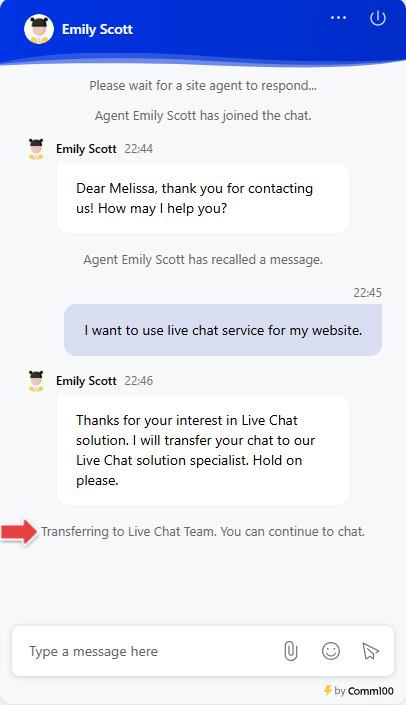
The chat will be transferred directly to the selected agent without requiring them to accept the transfer. A system notification will appear in both the Agent Console and the visitor-side chat window indicating that the chat has been transferred.