Knowledge Base SEO enables you to manage search engine optimization for your public Knowledge Base. It provides tools to configure SEO settings, manage URL redirects, and review SEO diagnostics to help improve your Knowledge Base's visibility in search engine results.
Knowledge Base SEO includes the following tabs:
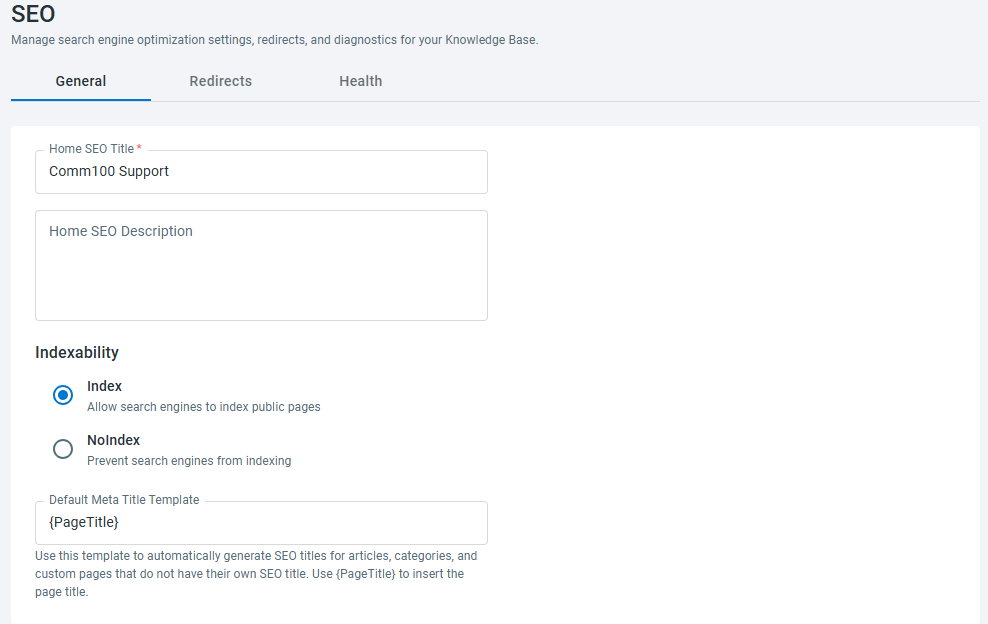
- General – Configure SEO settings for your Knowledge Base.
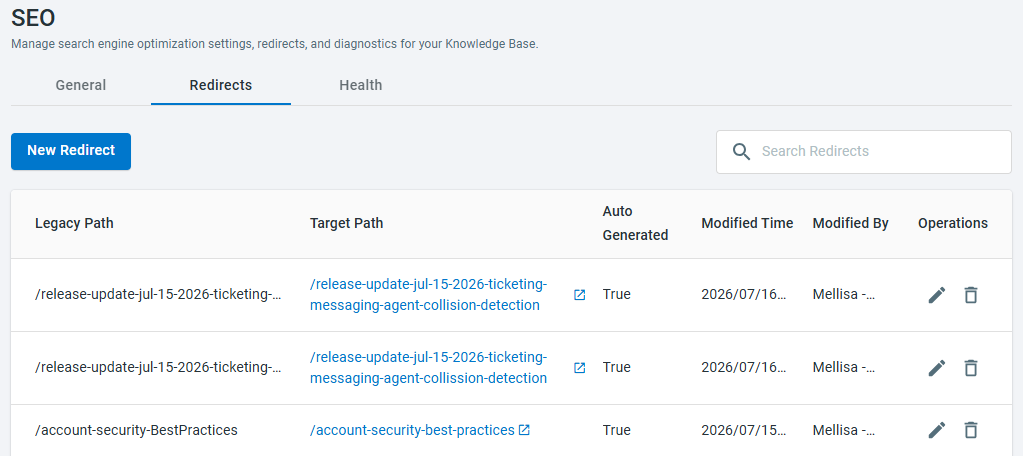
- Redirects – Manage URL redirects.
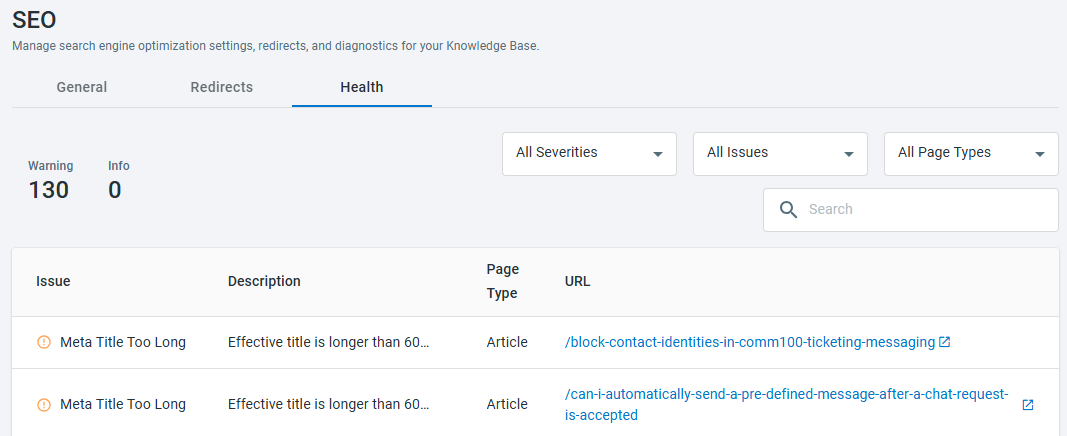
- Health – Review SEO diagnostics and identify SEO issues.
Step-by-Step Instructions
- Log in to your Comm100 Control Panel.
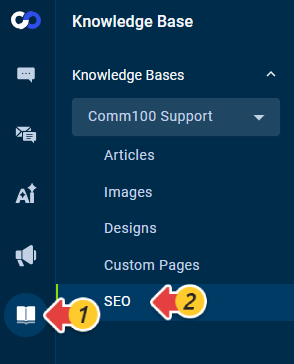
- From the left navigation menu, go to Knowledge Base > SEO.
- Under the General tab, configure the following settings as needed:
- Home SEO Title: Specifies the SEO title for your Knowledge Base home page.
- Home SEO Description: Specifies the SEO description for your Knowledge Base home page. Search engines may display this description in search results to help users understand what your Knowledge Base is about.
- Indexability: Controls whether search engines can index your public Knowledge Base. Select Index to allow search engines to crawl and index your Knowledge Base, or NoIndex to prevent it from appearing in search results.
- Default Meta Title Template: Defines the default format for generating meta titles for articles, categories, and custom pages that do not have a custom SEO title. By default, the template is {PageTitle}.
- Click Save.
- Navigate to Redirects tab. You can add, edit or delete redirect rules as needed.
- Navigate to Health tab. You can use the available filters or the search box to locate specific issues, articles, categories, custom pages, or your Knowledge Base home page.
- All Severities: All Severities, Warning, Info
- All Issues: All Issues, Meta Title Missing, Meta Title Too Long, Meta Description Missing, Meta Description Too Long, Page is not indexable, Canonical Value Abnormal, Meta Title Duplicate, Meta Description DuplicateNote: The following table describes the SEO issues that may be identified and provides recommended solutions for addressing them.
Issue Description Recommended Solution Meta Title Missing The page does not have an SEO title. Add a unique and descriptive SEO title to improve the page's visibility and presentation in search engine results. Meta Title Too Long The SEO title exceeds the recommended length and may be truncated in search engine results. Shorten the SEO title while keeping it descriptive and relevant to the page content. Meta Description Missing The page does not have an SEO description. Add a concise SEO description that accurately summarizes the page content. Meta Description Too Long The SEO description exceeds the recommended length and may be truncated in search engine results. Shorten the SEO description while ensuring it clearly describes the page content. Page is not indexable The page is configured not to be indexed by search engines. Review the page's indexability setting and enable indexing if you want the page to appear in search engine results. Canonical Value Abnormal The page has an invalid or unexpected canonical URL configuration, which may affect how search engines identify the preferred version of the page. Review the page's canonical URL configuration and ensure it points to the correct URL. Meta Title Duplicate Multiple pages use the same SEO title. Assign a unique SEO title to each page to help search engines distinguish between them. Meta Description Duplicate Multiple pages use the same SEO description. Provide a unique SEO description for each page to improve search result relevance. - All Page Types: All Page Types, Knowledge Base, Article, Category, Custom Page
Page-level SEO Metadata
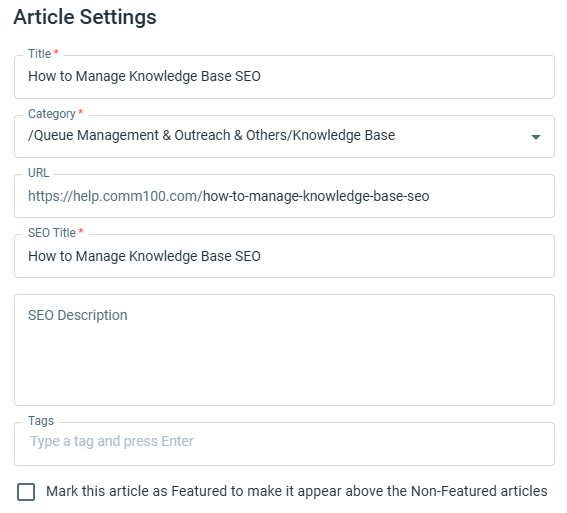
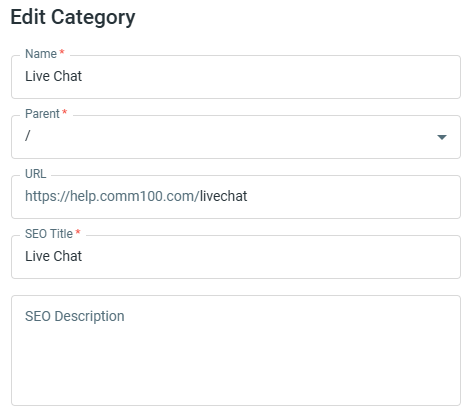
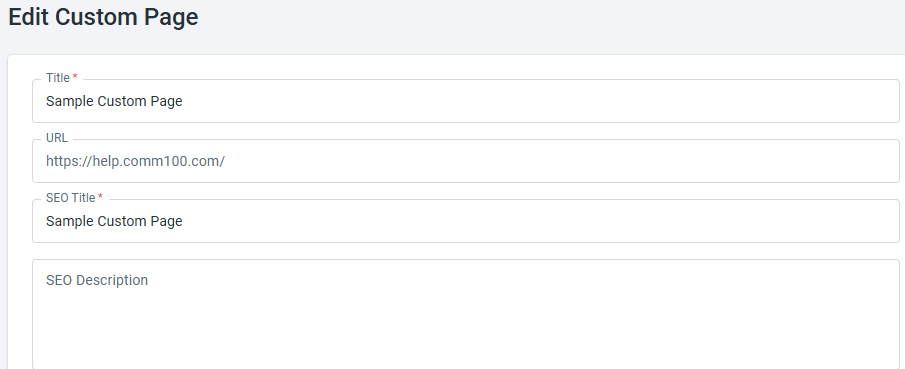
You can also configure an SEO Title and SEO Description for individual articles, categories, and custom pages.
- Article: Edit the article, then click Settings in the upper-right corner.
- Category: Hover over the category and click Edit.
- Custom Page: Under the Operations column, click the Edit icon.