
Comm100 allows you to seamlessly integrate Live Chat with your Shopify store. To complete the integration, you need to generate an access token by creating an app in Shopify, along with providing your Shopify store URL.
Step-by-Step Instructions
- Log in to your Shopify Admin as the store owner.
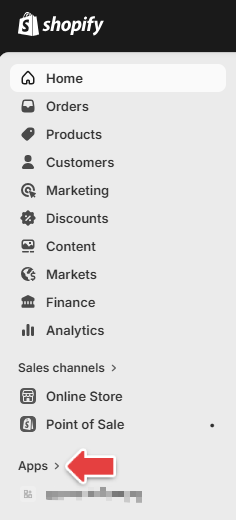
- From the left navigation menu, click Apps.
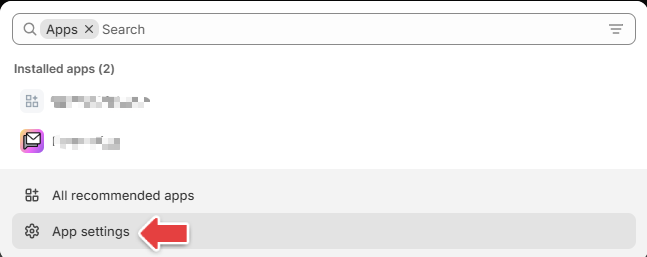
- Click Apps settings.
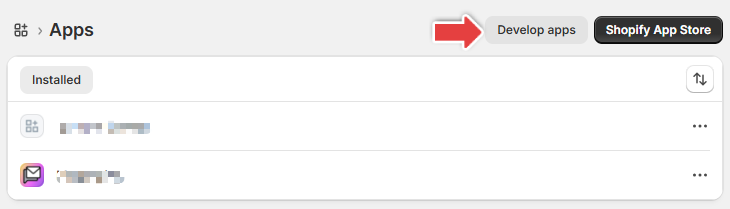
- Click Develop apps.
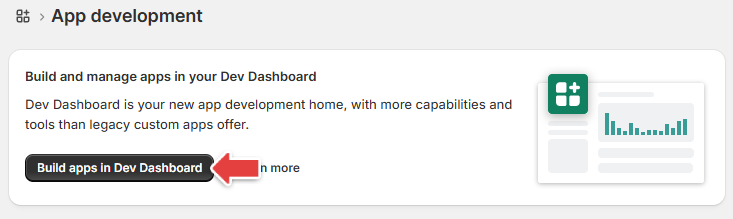
- Click Build apps in Dev Dashboard.
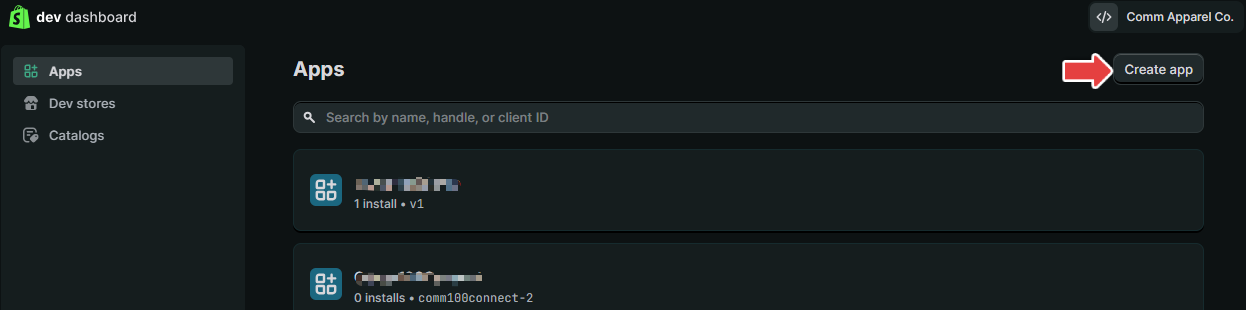
- You will be redirected to the dev dashboard. Click Create app.
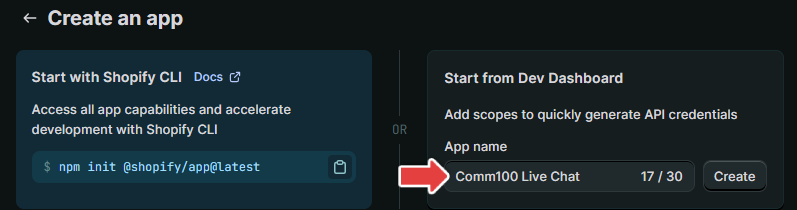
- In the Start from Dev Dashboard section, enter a name for your app and click Create.
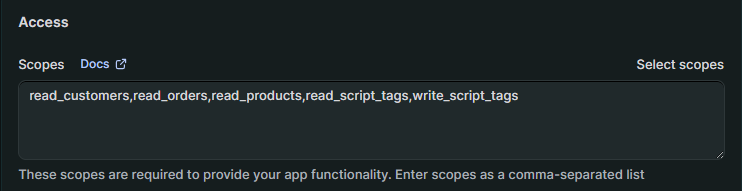
- On the Create version page, scroll down to the Access - Scopes section and click Select scopes.
- Select the following scopes, then click Done:
read_products
read_customers
read_orders
read_script_tags
write_script_tags
Click Release and confirm the action.
Click the name of the newly created app.
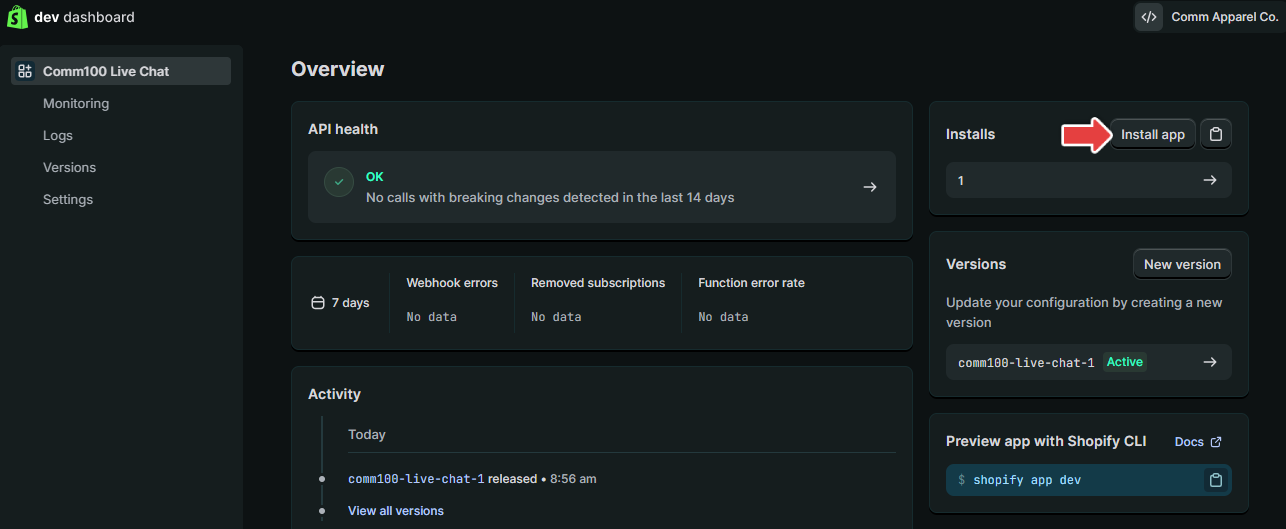
Click Install App and confirm the installation.
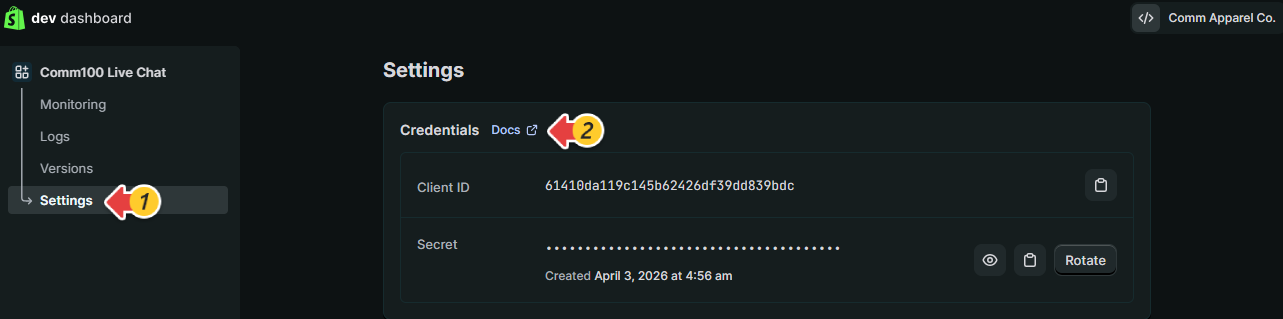
Once the app is successfully installed, click Settings, then Docs in the Credentials section.
You will be redirected to Shopify’s documentation https://shopify.dev/docs/apps/build/authentication-authorization/client-secrets, which explains how to generate an access token using your app credentials.
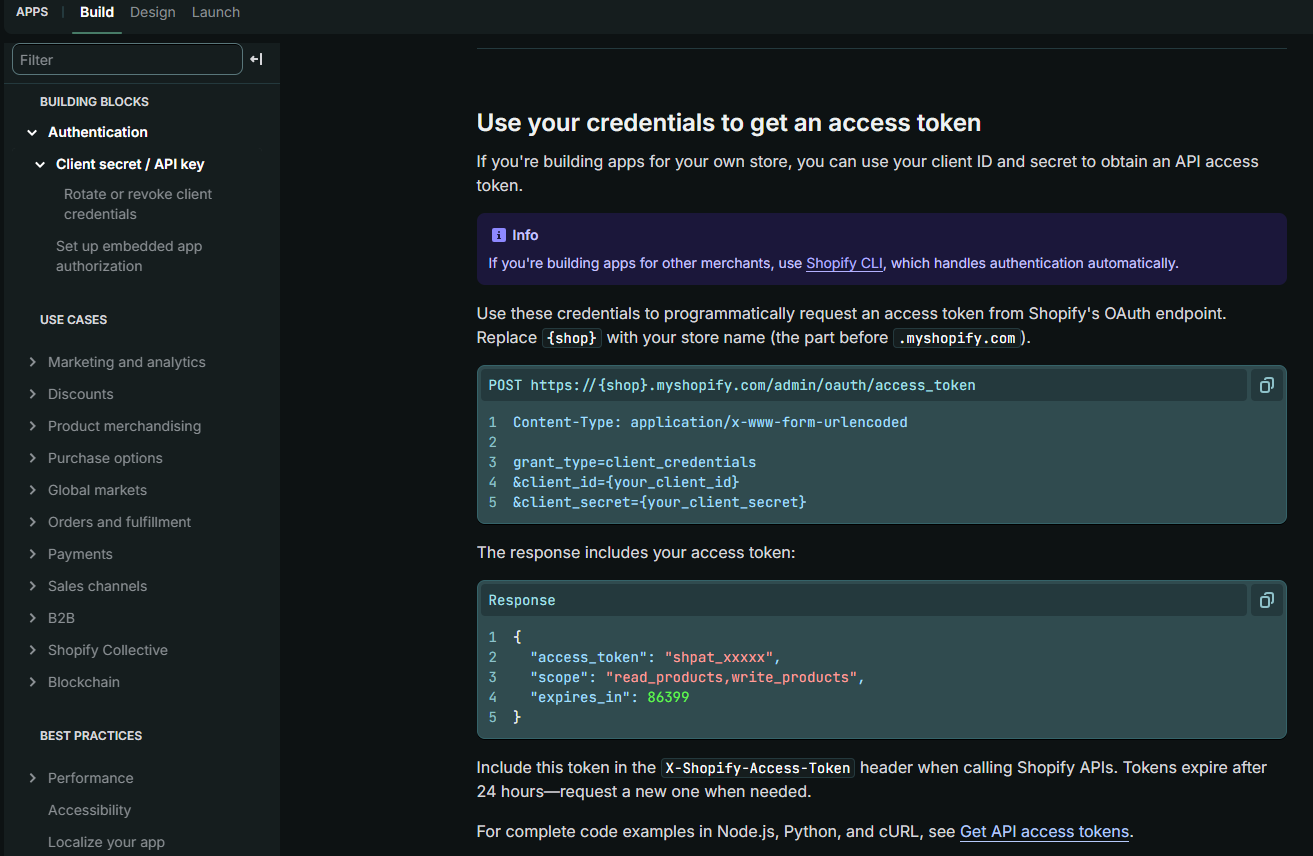
Once the API access token is generated, copy it and paste it into the Shopify integration settings in your Comm100 Control Panel along with your store URL. This token allows Comm100 to securely access your Shopify data, enabling features such as viewing customer information and order details directly within the Agent Console. To learn how to integrate Comm100 Live Chat with your Shopify store, see this article.