Internal tickets in Comm100 allow agents to create and assign tasks to team members directly within the Agent Console. These tickets are ideal for handling internal requests, follow-ups, or any work that does not involve customers.
Step-by-Step Instructions
- Log in to the Comm100 Agent Console.
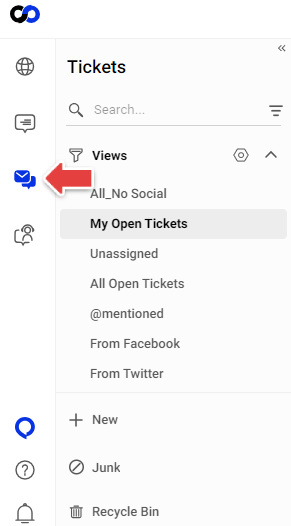
- Go to the Ticketing & Messaging tab.
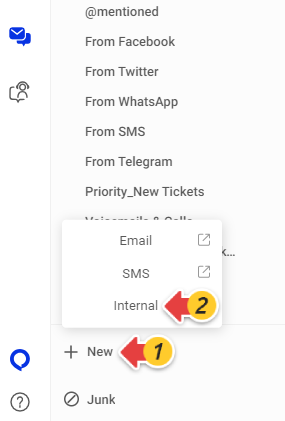
- Click New.
- Select Internal.
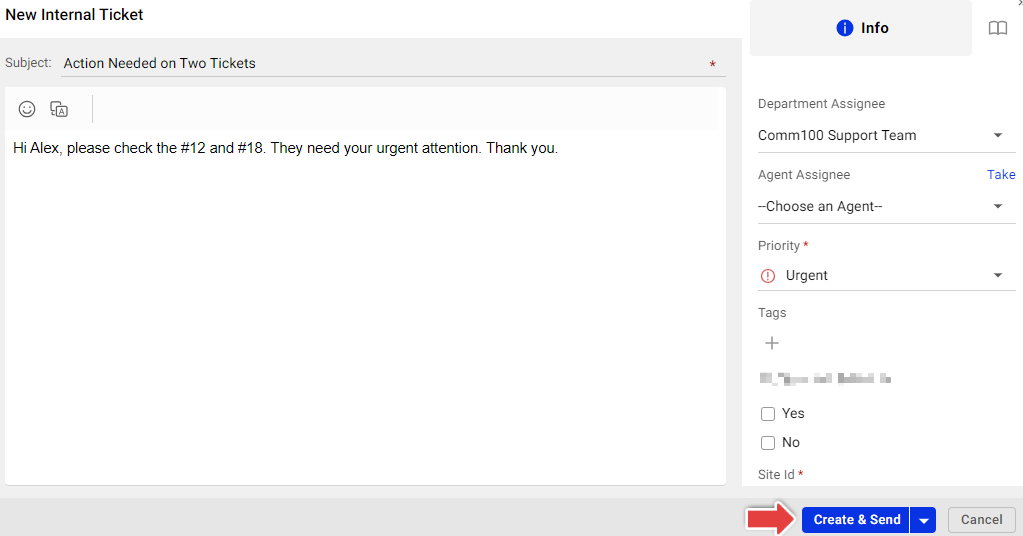
- Fill in the required details.
- Click Create & Send.
After that, an internal ticket will be created for the assignee to follow upon. You can track progress and updates through the ticket history and event logs in the Agent Console.