Comm100 Chatbot now supports over 40 different languages. These include Arabic, Australian English, Brazilian Portuguese, Canadian English, Canadian French, Cantonese, Simplified Chinese, Traditional Chinese, Danish, Dutch, English, France French, French, German, Great Britain English, Greek, Hindi, Indian English, Indonesian, Italian, Japanese, Korean, Latin America Spanish, Spanish (Spain, International Sort), Norwegian, Polish, Portuguese, Russian, Spanish, Swedish, Thai, Turkish, Ukrainian, Bengali, Finnish, Filipino, Marathi, Malay, Romanian, Sinhala, Tamil, Telugu, US English, Vietnamese and 中文(简体).
Follow the step-by-step instructions to see how you can easily choose your Chatbot language.
Step-by-Step Instructions
To choose your Chatbot language, follow these steps:
- Log in to your Comm100 Control Panel.
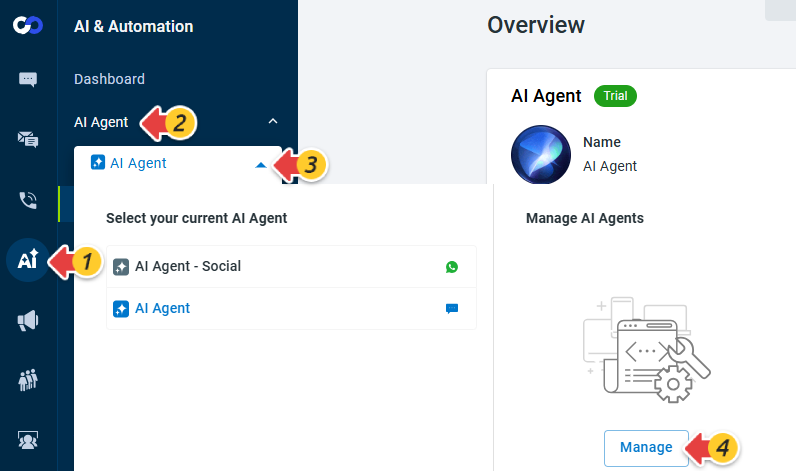
- From the left navigation menu, go to AI & Automation > AI Agent.
- Click the drop-down list and go to the Manage AI Agents area.
- Click Manage.
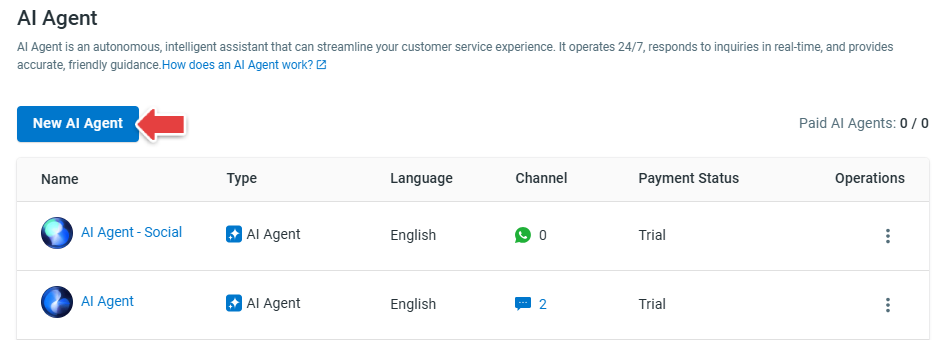
- The AI Agent drawer appears. Click New AI Agent.
- Click Classic.
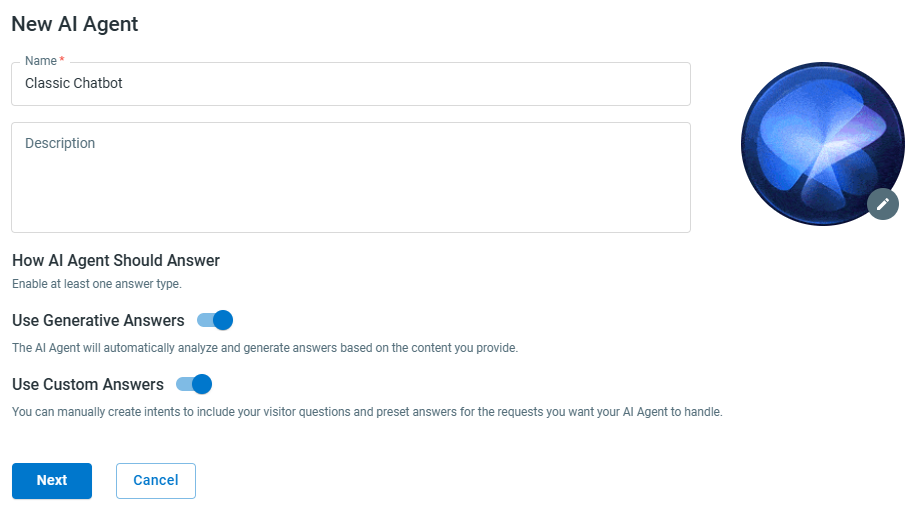
- In the New AI Agent drawer, provide the Chatbot's name, enable Use Generative Answers and Use Custom Answers based on your requirement, and then click Next.
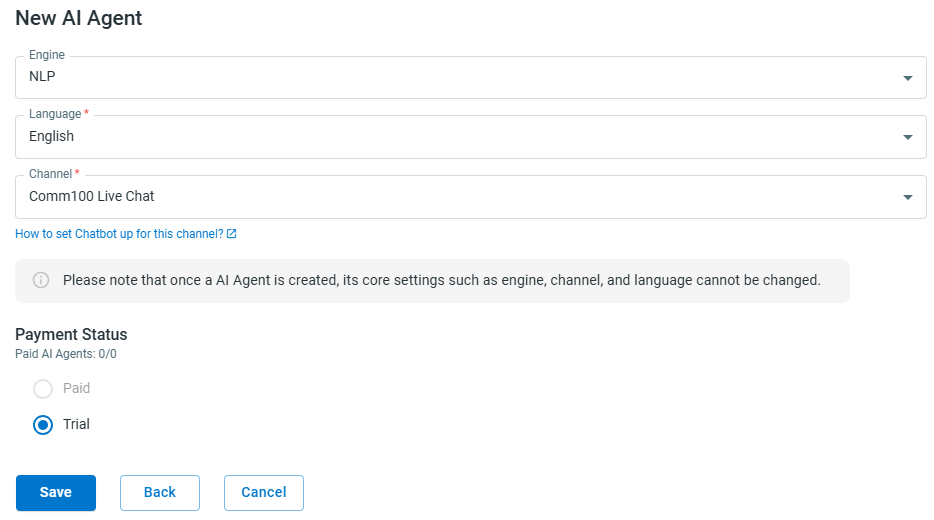
- Select an Engine from the drop-down list, choose the Language and select the Channel.
Note: You cannot change the language of a bot once it is created. - Click Save.
You have successfully created a Chatbot with your chosen language.